

♥ Wishlist


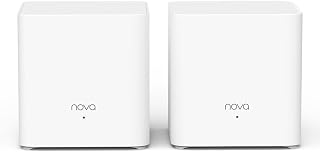

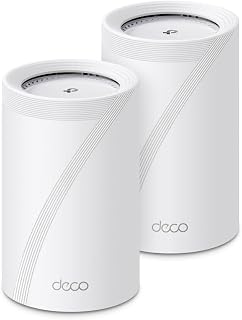


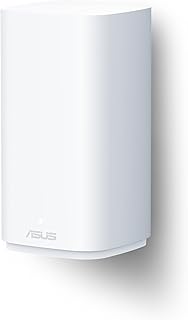


Smart Wi-Fi systems provide a practical way to create a stronger and more flexible wireless network at home. Instead of relying on a single router to reach every room, many systems use multiple connected units to distribute Wi-Fi across a wider area. This can be particularly useful in larger homes, multi-level properties or spaces where walls and other obstacles affect wireless signals.
When choosing a smart Wi-Fi system in Australia, consider the size and layout of your property, the number of connected devices and the type of activities you regularly perform online. Streaming, video calls, gaming, smart-home devices and remote work can all place different demands on your network. Choosing a system with suitable coverage and capacity can help create a smoother everyday experience.
Wi-Fi technology continues to develop, with Wi-Fi 6, Wi-Fi 6E and Wi-Fi 7 systems offering different capabilities. Wi-Fi 6 systems are designed to handle busy networks with many connected devices efficiently. Wi-Fi 6E adds access to the 6 GHz band on compatible equipment, while Wi-Fi 7 introduces newer networking technologies aimed at higher throughput and improved performance on supported devices.
The latest standard is not automatically necessary for every household. If most of your devices use older Wi-Fi generations, a well-matched Wi-Fi 6 system may provide the features you need. However, households upgrading to newer smartphones, computers, televisions and other connected products may wish to consider a newer-generation system for additional network capability and longer-term compatibility.
Mesh systems use a primary router or network unit together with additional nodes or satellites. These units communicate with one another to extend wireless coverage around the property. Depending on the system, users can manage settings through an app and move around the home while compatible devices transition between network points.
Coverage figures supplied by manufacturers should be treated as guidance rather than a guarantee. Building materials, floor plans, interference and node placement can all affect real-world performance. For this reason, consider the shape of your home as well as its total floor area when deciding whether a single unit, two-pack or larger multi-unit system is appropriate.
Look for a system designed for the size of your property and the number of devices you expect to connect. A higher device capacity can be useful in homes with computers, televisions, phones, tablets, cameras, smart speakers and other connected equipment.
Dual-band systems commonly use 2.4 GHz and 5 GHz connections, while tri-band models can provide an additional wireless band. Some newer systems also support 6 GHz connectivity. Advertised wireless speeds represent theoretical capabilities, so actual performance depends on compatible hardware, network conditions and your internet connection.
Ethernet ports can be valuable for desktop computers, televisions, gaming equipment, network storage and other devices that benefit from a wired connection. Some advanced systems also include multi-gigabit ports for faster compatible network equipment.
Network security is an important consideration for every connected home. Depending on the model, smart Wi-Fi systems may offer features such as WPA3 security, guest networks, parental controls, VPN support or additional network-management tools. Check the individual product specifications to confirm which functions are included.
For a smaller home or apartment, a compact system may provide sufficient coverage without unnecessary hardware. Larger properties can benefit from additional mesh nodes, while busy households may prefer systems designed to support many simultaneous connections. Homes with outdoor areas, thick walls or multiple floors may also require careful placement and a system designed for broader coverage.
Before purchasing, check modem and internet-service compatibility, supported Wi-Fi standards, Ethernet requirements and the number of mesh units included. It is also useful to check whether the system can be expanded later if your coverage requirements change. Comparing these details can help you select a network solution that suits your current devices and future connectivity needs.
Explore smart Wi-Fi systems for Australian homes and compare mesh configurations, wireless standards, coverage specifications, connectivity options and smart networking features to find a setup suited to your household.
Stay connected throughout your home with smart Wi-Fi systems designed to improve wireless coverage, network capacity and everyday connectivity. A modern mesh Wi-Fi system can help reduce weak-signal areas while providing a more consistent connection across bedrooms, living areas, home offices and other spaces. This category brings together smart networking options suited to different home sizes, device loads and performance requirements.