Introduction
Find keyboards and mice designed to make everyday computing more comfortable, responsive and efficient. Whether you are setting up a home office, upgrading a desktop computer, building a gaming station or replacing an older peripheral, the right keyboard and mouse can improve how you work and interact with your computer. Australian shoppers can compare practical options based on connection type, layout, comfort, features and intended use.
Frequently Asked Questions
What should I look for when buying a keyboard?
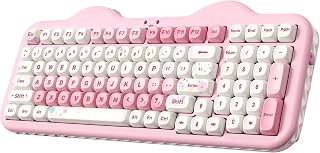
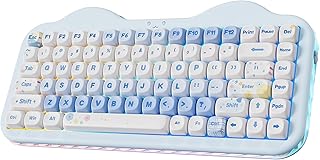
Consider the keyboard layout, size, connection type, key feel, comfort and features you need. Full-size keyboards suit users who need a number pad, while compact designs can save desk space.
Are wireless keyboards and mice suitable for office work?
Yes. Wireless keyboards and mice can provide a tidy workspace and flexible positioning. Check the connectivity method, device compatibility and battery or charging requirements before choosing a model.
What is the difference between a wired and wireless mouse?
A wired mouse connects directly to a computer, while a wireless mouse communicates through Bluetooth or a wireless receiver. Wireless models reduce cable clutter, whereas wired models do not require battery management.
Are gaming keyboards useful for more than gaming?
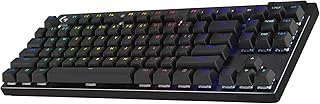
They can be. Features such as programmable keys, responsive switches and media controls may also benefit productivity, creative work and other applications where custom controls are useful.
How do I choose a comfortable computer mouse?
Consider the mouse size, shape, weight, button placement and your preferred grip. If you use it for extended periods, prioritise a design that feels natural and comfortable in your hand.
Should I buy a full-size or compact keyboard?
A full-size keyboard is useful if you regularly use a number pad. A compact keyboard can be a better fit when desk space is limited or when you prefer a smaller, less crowded workstation.
What should I check before buying a wireless keyboard or mouse?
Check the supported wireless technology, operating system or device compatibility, connection requirements, battery or charging method and expected range. Also make sure the available USB ports or Bluetooth support meet your setup requirements.