

♥ Wishlist


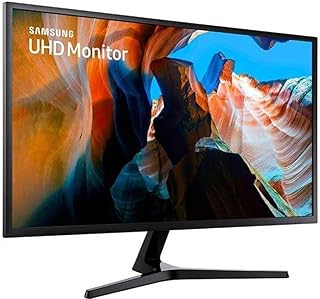


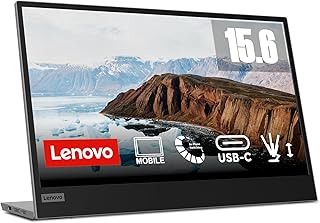


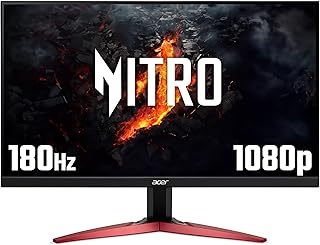


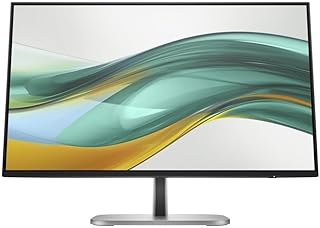


A computer monitor can make a major difference to how you work, study, create and play. Whether you need a practical display for a home office, an immersive screen for gaming or a high-resolution monitor for creative work, the right model should match your desk space, computer and everyday requirements.
Australian shoppers can choose from a wide range of monitor sizes and specifications. Compact displays can suit smaller desks, while larger screens provide more room for documents, applications, spreadsheets and entertainment. Before choosing a monitor, consider the available space on your desk, how far you normally sit from the screen and how much workspace you need.
Screen size is one of the simplest ways to narrow your options. Smaller monitors can work well for basic computing and limited workspaces. Mid-sized displays offer a useful balance for office work, study and general home use. Larger monitors can provide a more immersive experience and make multitasking easier.
Ultrawide monitors are another option for users who want additional horizontal workspace. Their wider format can reduce the need for multiple windows or separate displays. Curved monitors may also provide a more immersive viewing experience, particularly for gaming, entertainment and large-screen desktop setups.
Resolution determines how much detail a display can show. Full HD monitors remain suitable for many everyday tasks, while Quad HD and 4K monitors can provide greater image detail and more workspace. Higher resolutions can be particularly useful for detailed creative work, large spreadsheets and high-resolution media.
Refresh rate measures how frequently the monitor can update the image. A standard refresh rate can suit office and study tasks, while higher refresh rates are often preferred by gamers who want smoother motion. Response time is another specification worth checking when comparing gaming monitors.
Monitor panels also affect the viewing experience. IPS displays are commonly chosen for their viewing angles and colour performance. VA panels can offer strong contrast, while other display technologies may prioritise speed, brightness or specific gaming features. Compare the complete specification rather than relying on one feature alone.
A suitable office monitor can make long working sessions more comfortable and productive. Look for a screen size that gives you enough room for documents, browsers and other applications without overwhelming your workspace. A height-adjustable stand can also help you position the display at a comfortable viewing height.
For multitasking, a larger display or ultrawide monitor can provide convenient space for several windows. Users who work with spreadsheets, coding environments or multiple documents may benefit from additional screen real estate. If your computer supports multiple displays, check the available ports before planning a dual-monitor arrangement.
Gaming monitors focus on features that can improve fast-moving gameplay. Higher refresh rates, low response times and adaptive synchronisation technologies can help deliver a smoother gaming experience when paired with compatible hardware.
Choose the resolution and refresh rate together rather than considering either specification in isolation. Your graphics hardware needs to produce enough frames to take advantage of a high-refresh display. Screen size and panel characteristics also influence the experience, so consider the games you play and the distance between your chair and monitor.
Check the monitor's connection options before buying. Common interfaces include HDMI and DisplayPort, while some displays also provide USB connectivity. Certain monitors can support USB-C connections and may offer additional features such as power delivery, making them useful for compatible laptops and modern desktop setups.
Also check whether your computer, laptop or graphics card supports the monitor's intended resolution and refresh rate. Using the correct cable and compatible connection can help you get the performance expected from the display.
The best computer monitor for your setup depends on how you intend to use it. Office users may prioritise comfort, connectivity and workspace, while gamers may focus on refresh rate and response time. Students and general users can look for a practical combination of screen size, resolution and connectivity, while creative professionals may place greater emphasis on resolution and colour performance.
Compare the specifications that matter most to your setup before choosing a display. With the right combination of size, resolution, panel technology and connectivity, a computer monitor can create a more comfortable and capable workspace for everyday use in Australia.
Find the right computer monitor for work, study, gaming, creative projects and everyday computing. Computer monitors provide a larger and clearer display than many laptop screens, while different panel types, resolutions, refresh rates and connectivity options let you choose a screen that suits your setup.