

♥ Wishlist


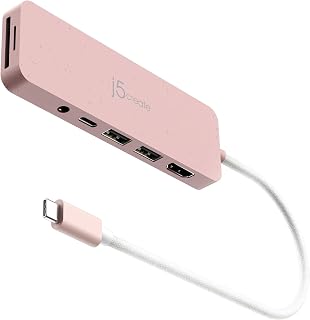


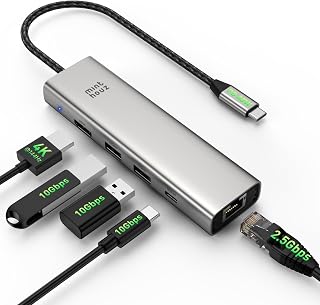


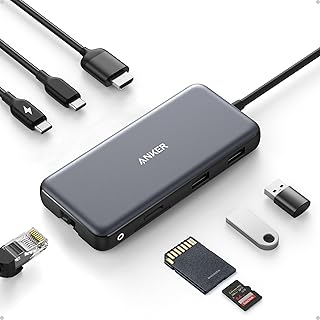


Modern laptops and compact computers often prioritise portability, which can mean fewer physical ports. USB hubs and docking stations provide a practical way to expand connectivity without constantly unplugging your existing accessories. Depending on the model, you can connect keyboards, mice, USB drives, external storage, printers, cameras, memory card readers, headphones and other compatible peripherals from a single connection.
A USB hub is generally designed to expand one available USB port into several connections. It can be a convenient choice for everyday accessories and portable setups. A docking station can offer a broader range of connections and may support features such as external monitors, Ethernet networking, audio, additional USB ports and power delivery. The right option depends on the devices you use and the connections you need.
A USB hub can simplify a laptop workstation when you need more USB connections than the computer provides. Compact models are particularly useful for travel, study and flexible workspaces. You might use a hub to connect a mouse, keyboard, USB storage device and other accessories at the same time.
When choosing a hub, check the number and type of available ports. USB-A remains common for many established peripherals, while USB-C is increasingly used on newer computers and mobile devices. Some hubs combine different connector types, giving you greater flexibility when your accessories use different interfaces.
Docking stations can turn a laptop into the centre of a more complete desktop workspace. A suitable dock may provide several USB ports alongside video outputs, network connectivity, audio connections and charging support. This can reduce cable swapping and make it easier to connect a laptop to a monitor, keyboard, mouse, wired network and other equipment.
Before purchasing a docking station, confirm that its connection type and supported features match your computer. USB-C does not automatically mean that every device supports the same display, charging or data capabilities. Checking the specifications of both the computer and dock helps prevent compatibility issues.
The number of ports is only one factor to consider. Think about the types of peripherals you intend to connect and whether you need high-speed data transfer. External SSDs, large USB drives and other demanding devices can benefit from faster supported standards.
Also consider the host connection. USB-C hubs and docks can provide convenient connectivity for compatible modern laptops, while USB-A solutions can suit computers and accessories that use the older connector. If you plan to connect external displays, check the supported video standard, resolution, refresh rate and number of displays rather than relying only on the connector shape.
Some USB-C docking stations support power delivery, allowing compatible laptops to receive power through the same connection used for the dock. This can help reduce desk clutter by combining connectivity and charging. However, the maximum power supported by the dock should match the requirements of your computer and charger.
Powered hubs can also be useful when several connected devices require more power than a basic bus-powered hub can comfortably provide. Check the manufacturer's specifications before connecting power-hungry peripherals.
USB hubs and docking stations can suit a wide range of Australian home and office environments. A compact hub can work well for students and people who regularly move between locations. A larger docking station can be useful for a home office where a laptop needs to connect to one or more monitors and several permanent accessories.
For shared workspaces, consider the layout and cable length as well as port selection. A dock that places commonly used connections within easy reach can make daily tasks more convenient. For travel, a smaller hub with the essential ports may be easier to carry than a full-size docking station.
Start by listing the devices you need to connect. Then identify their connector types and determine whether you need data transfer, display output, networking, audio or charging. Compare the required features with the specifications of each hub or dock.
It is also worth considering future needs. Choosing a model with a few additional ports can provide flexibility if you later add storage, displays or other peripherals. At the same time, avoid paying for features you will not use. A straightforward USB hub may be sufficient for basic accessories, while a docking station can make more sense for a comprehensive desktop setup.
Explore the USB hubs and docking stations category at A2Z Deal to find connectivity solutions suited to different computers, accessories and workspace requirements. Compare port configurations and supported features carefully so you can select a solution that fits your Australian home, study or office setup.
USB hubs and docking stations make it easier to connect multiple devices to a laptop, desktop computer or compatible tablet. Instead of repeatedly swapping cables or working with a limited number of built-in ports, a suitable hub or dock can provide convenient access to USB accessories, displays, storage devices, network connections and other peripherals. Explore USB hubs and docking stations for practical connectivity at home, in the office or while working remotely in Australia.