

♥ Wishlist


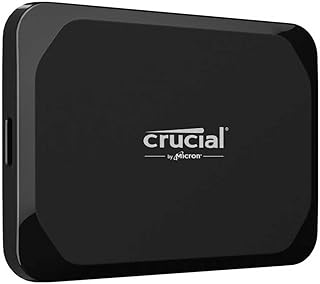


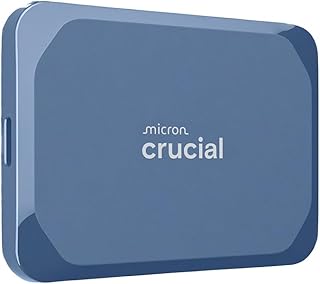


Digital files continue to grow, from high-resolution photos and family videos to work documents, study materials, software and creative projects. When the storage inside a computer or other device becomes limited, external storage offers a practical way to add capacity and organise important data. This category brings together storage solutions designed to make saving, moving and backing up files more convenient.
Choosing the right external storage depends on how you use your devices, how much capacity you need and how often you move data. Some shoppers want a compact option for carrying files between locations, while others need larger-capacity storage for backups or extensive media libraries. Considering these needs first can make it easier to select a suitable solution.
External hard drives can provide substantial storage capacity for documents, photographs, videos and other files. They are useful for home computers, workstations and backup routines where portability is less important than having plenty of space. A larger external drive can also help keep an organised archive separate from the primary storage inside a computer.
Think about the type and volume of data you expect to store. Smaller capacities may suit everyday documents and occasional transfers, while larger capacities can be more appropriate for extensive photo collections, video files and long-term archives. Allow some additional capacity for future files rather than choosing a drive that will quickly become full.
Portable external storage is useful when files need to move between different computers or locations. A compact design can fit easily into a laptop bag, backpack or desk drawer, making it suitable for students, remote workers, photographers and other users who regularly work across multiple locations.
Before buying, check the connection supported by your computer or other device. USB-based storage is widely used, but connector types and supported transfer standards can vary. Confirm compatibility with your equipment to help ensure a straightforward setup.
External solid-state drives are designed without the moving mechanical parts used in traditional hard disk drives. They can be an attractive option for shoppers who value compact designs, responsive file access and convenient transfers. They are particularly useful for users who frequently work with larger files or move data between compatible devices.
Performance depends on the SSD, connection standard and host device. A fast external drive cannot necessarily deliver its maximum advertised performance if the connected computer or port has a lower specification. Checking the specifications of both devices can help you choose a compatible setup.
External storage can form an important part of a personal or business backup routine. Keeping an additional copy of important files can help reduce dependence on a single internal drive. Consider regularly backing up valuable photographs, financial documents, work files and other data that would be difficult to replace.
For particularly important information, one external device should not be treated as the only copy. A broader backup strategy can include multiple copies and, where appropriate, another storage location. Regularly checking that backups can be accessed also helps maintain confidence in the stored data.
Start by identifying your primary purpose. If you need a drive for occasional file transfers, portability and size may matter most. For extensive archives, capacity may take priority. If you frequently move large files, transfer performance and the connection standard deserve closer attention.
Review the supported operating systems, connection type, capacity and physical dimensions before choosing a product. Also consider whether you will use the storage with a desktop computer, laptop or another compatible device. Australian shoppers should check the product specifications carefully, particularly when matching storage with newer computers that use different USB connector types.
If you regularly carry your storage between home, work or study locations, look for a compact design that suits your routine. A protective case can provide additional physical protection during transport. For a drive that stays on a desk, size and portability may be less important than capacity and connection convenience.
External storage can help separate everyday files from long-term archives and backups. Creating clearly named folders and maintaining a consistent file organisation system makes it easier to locate information later. It can also simplify the process of transferring projects or collections between compatible devices.
Whether you need additional space for work, study, entertainment or personal memories, selecting storage based on capacity, compatibility, portability and performance can support a more convenient digital workflow. Compare the available specifications and choose an external storage solution that matches the way you use your devices.
Find practical external storage devices for backing up important files, transferring data and expanding available storage. External storage can provide a convenient way to manage documents, photos, videos, projects and other digital files without relying solely on your computer or mobile device. Explore storage options suited to home, office, study, creative work and everyday use in Australia.