

♥ Wishlist
Compare 49 verified Streaming Devices & Set Top Boxes in Australia products in Australia. Reviews, ratings, pros, cons and buying advice updated for October 2026.


![Wireless HDMI Transmitter and Receiver [100ft, 4K to 1080p], 2.4G/5G Dual Band HDMI Radio Transmission, Plug & Play for Streaming Video Audio File from Laptop/PC/TV Box to Monitor/TV/Projector](https://m.media-amazon.com/images/I/71G9Ywg+wAL._AC_UL320_.jpg)

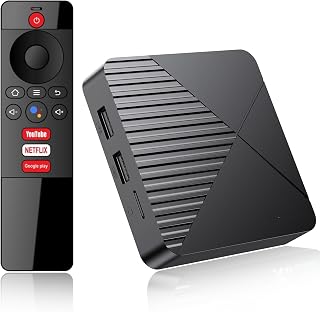


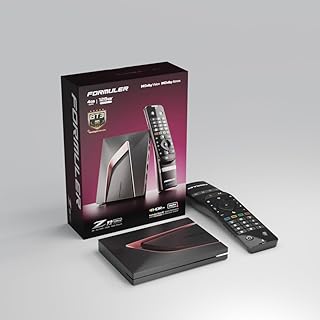


Choosing a streaming device in Australia is no longer simply a question of finding the cheapest HDMI stick. The right device can affect picture quality, app compatibility, navigation speed, voice control, storage, connectivity and how easily you can access the streaming services you actually use. A good streaming device can also be a practical way to modernise an older television without replacing the entire TV.
This independent buying guide is designed to help Australian shoppers compare streaming sticks, compact streaming players and full-size set-top boxes according to real-world buying criteria. Rather than focusing on one specification in isolation, consider the complete combination of operating system, supported services, video formats, audio capabilities, Wi-Fi performance, processing power, remote-control design, software support and price.
Popular brands in this category include Amazon Fire TV, Google, Roku, Apple and NVIDIA, while television manufacturers such as Samsung and LG provide their own smart-TV platforms. Availability and compatibility can vary between Australian retailers and between individual device generations, so always check the exact model number and current specifications before buying.
The terms streaming stick and set-top box are often used interchangeably, but the physical designs serve slightly different needs. A streaming stick is normally compact and connects directly to an HDMI input. It is particularly convenient for bedrooms, secondary televisions and installations where space around the television is limited.
A conventional streaming box sits externally from the television and connects by HDMI. This design can provide greater flexibility for ports, Ethernet networking, storage or other connections, depending on the model. Larger devices may also be preferable where the television is positioned inside a cabinet or where the HDMI connection is difficult to access.
The operating system is one of the most important specifications because it determines the user interface, app ecosystem, settings, voice-assistant integration and general experience. Two devices with similar video specifications can feel completely different because of their software.
Amazon Fire TV devices use Amazon's Fire TV platform and can be attractive to households already invested in Amazon services. Google TV devices provide an interface built around Google's ecosystem and can integrate naturally with compatible Android and Google services. Apple TV uses Apple's tvOS platform and is particularly relevant for households that already use Apple hardware.
Roku has a strong reputation for a straightforward streaming interface in markets where Roku hardware and services are available, while some Australian televisions rely heavily on manufacturer-specific platforms. Before purchasing, confirm that the exact Australian model provides the applications you require rather than assuming that an app available on a phone or smart TV will necessarily be available on every streaming platform.
Australian households may use a mixture of international and local services. Depending on your viewing habits, you may need access to platforms such as Netflix, Prime Video, Disney+, YouTube, Apple TV, Stan, Binge, Kayo Sports or free-to-air catch-up services. App availability can change over time, and some services have device-specific requirements.
For this reason, do not select a streaming device solely because it supports 4K. A technically impressive player can be a poor purchase if it does not provide convenient access to the services you watch most frequently.
For a modern 4K television, choosing a 4K streaming device is usually the logical starting point. However, resolution is only one part of picture quality. The television panel, source quality, streaming bitrate, HDR support and internet connection all contribute to the final image.
An HD-only streaming device can still be suitable for an older 1080p television. If the TV is unlikely to be replaced soon, paying extra for 4K capability may not provide an immediate benefit. Conversely, buying a new 4K television while pairing it with an inexpensive HD-only player can unnecessarily limit the capabilities of the display.
Upscaling takes lower-resolution content and processes it so that it fits a higher-resolution display. This is different from receiving a native 4K stream. When comparing devices, look for explicit support for the resolution and content formats you intend to use rather than relying on vague descriptions such as “4K-ready”.
High Dynamic Range can produce a more noticeable improvement in some content than simply moving from one resolution level to another. HDR can provide greater contrast and a wider range of brightness and colour when the content, streaming device and television all support the relevant format.
Common HDR terminology includes HDR10, Dolby Vision and HDR10+. Compatibility varies between streaming platforms, televisions and individual streaming devices. A television supporting Dolby Vision does not automatically mean that every connected streaming player will deliver Dolby Vision content.
If picture quality is a major priority, compare the HDR formats supported by the streaming device with the formats supported by your television. Also consider whether the services you subscribe to actually provide content in those formats.
People building a home cinema should evaluate audio support alongside video specifications. Dolby Atmos and other surround-sound technologies can improve immersion when compatible content is played through an appropriate soundbar, AV receiver or speaker system.
Audio compatibility depends on the complete signal chain. The streaming device, application, content, television, HDMI connection and sound system can all influence how audio is delivered. A streaming player should therefore be selected as part of the entire home-theatre setup rather than as an isolated component.
Streaming quality depends heavily on network reliability. A premium streaming device cannot compensate for weak Wi-Fi, interference, network congestion or an unstable broadband connection.
When comparing devices, examine the wireless standard and network capabilities rather than focusing exclusively on advertised maximum speeds. The physical location of the router and television can have a larger practical effect than theoretical throughput.
Ethernet is particularly useful for televisions located close to a router or network switch. A wired connection can provide greater consistency in some homes and may be valuable for high-bitrate video or households with significant wireless congestion.
Processor performance matters most when navigating menus, opening applications, switching between services and using demanding interfaces. A device that feels responsive during everyday navigation can be more pleasant to use than one that has impressive video specifications but sluggish software.
Do not judge performance from processor branding alone. Optimisation between the hardware and operating system also matters. Adequate memory, efficient software and regular updates can contribute substantially to responsiveness.
For basic streaming, an expensive high-performance media player may be unnecessary. Enthusiasts who use demanding applications, local media libraries, gaming features or advanced home-theatre functions may have stronger reasons to choose higher-end hardware.
The remote is one of the most frequently overlooked components of a streaming device. You may use it every day, so its layout and ergonomics can have a greater impact on satisfaction than a small difference in processor specifications.
Look for clearly positioned navigation buttons, useful playback controls and a sensible arrangement of volume and power functions. Voice control can be convenient for searching for films, shows and applications, but it should complement rather than replace good physical controls.
HDMI-CEC allows compatible HDMI-connected equipment to communicate with one another. Depending on the television and connected device, this can make it possible to control functions such as power, input selection and volume with fewer remotes.
CEC behaviour varies between manufacturers and television models, so it should be treated as a convenience feature rather than a guaranteed identical experience across every setup.
Most mainstream streaming users do not need large internal storage because streaming content is delivered over the internet rather than permanently downloaded. Storage becomes more relevant if you install numerous applications, use games, maintain local media libraries or require additional offline functionality.
Users with large personal collections should also investigate local-media compatibility carefully. File formats, network protocols, external storage support and available applications can differ substantially between platforms.
A modern smart television already includes streaming applications, which raises an important question: why purchase another device?
A dedicated streaming player can provide a faster or more consistent interface, a different app ecosystem, more frequent software updates or better integration with a particular household's technology. It can also extend the useful life of an older television whose built-in software has become slow or outdated.
On the other hand, a separate player is not automatically better. If the TV already provides all required services, responds quickly and receives appropriate software support, purchasing another device may add unnecessary complexity.
A useful comparison should go beyond star ratings. Customer feedback can identify recurring usability issues, but technical specifications determine whether a device fits your particular setup.
For viewers who primarily watch mainstream services, a compact streaming stick with a simple interface can be sufficient. Prioritise reliable Wi-Fi, responsive navigation and broad application support instead of paying for features you will never use.
Choose a player with genuine 4K streaming capability and HDR support that matches your television. There is little benefit in selecting a device based on a premium HDR feature if the TV cannot display that format.
Apple TV is worth considering when several people in the household already use Apple devices and value ecosystem integration, polished software and convenient access to Apple services.
Amazon Fire TV devices can be attractive for households that already use Amazon services or Alexa-compatible equipment. Compare the exact model because capabilities differ across generations and product tiers.
Google TV devices can make sense for viewers who prefer Google's interface and ecosystem. Consider application support, voice functionality and compatibility with other smart-home equipment already installed in the household.
Home-theatre enthusiasts should look beyond basic streaming support. Advanced users may care about HDR format compatibility, high-quality audio, Ethernet, processing performance, local media applications and integration with an AV receiver.
The lowest purchase price can be attractive, but it should not be the only comparison point. Missing applications, limited resolution support or an inconvenient interface can make a cheap player poor value over time.
4K is a resolution specification, not a complete description of picture quality. HDR support, decoding capabilities, software, application compatibility and network performance can all differ between products.
Product families often contain several generations with similar names. Always verify the exact model number and specifications rather than relying on a retailer category title or an old review.
A streaming player placed behind a television, inside furniture or far from the router may perform differently from an identical device installed in an area with strong wireless coverage.
A remote that is difficult to operate can become a daily source of frustration. Consider button placement and television-control functions before choosing between otherwise similar products.
If your television is HD-only, an expensive 4K player may not provide meaningful picture-quality benefits. Similarly, advanced HDR or audio features are only useful when the rest of the system supports them.
Streaming applications are controlled by individual service providers and platforms. An app available on one smart-TV operating system may not necessarily have identical availability or functionality on another device.
Internet speed is only one part of streaming performance. A stable connection with adequate bandwidth is generally more useful than a connection with a high advertised speed that suffers from intermittent interruptions.
Multiple household users can also affect performance. A television streaming high-resolution content may compete with video calls, online gaming, cloud backups, downloads and other connected devices. If buffering occurs, determine whether the problem originates with the internet service, router, wireless signal, streaming application or streaming hardware before replacing the device.
Australian buyers should consider the type and reliability of their home broadband connection. Fibre, fixed wireless, cable and other connection types can deliver different real-world experiences depending on location and service configuration.
For households with unreliable Wi-Fi, improving router placement or network coverage can sometimes produce a larger improvement than upgrading the streaming player. Where practical, Ethernet can also be considered for a fixed television installation.
Streaming sticks and compact media players are generally designed for low-power operation, but installation still deserves attention. Use the appropriate power adapter and cable supplied or recommended for the device, particularly when the television's USB port cannot provide sufficient power.
Before installing a device behind a wall-mounted television, consider cable routing, ventilation, HDMI access and the location of the wireless antenna. A neat installation should remain accessible enough for troubleshooting or replacement.
Product specification sheets can be difficult to compare because manufacturers do not always present information in the same way. The most useful approach is to translate each specification into a practical benefit.
Customer reviews are useful when interpreted carefully. Instead of focusing only on the overall rating, look for repeated comments concerning specific issues.
For example, multiple customers independently mentioning remote responsiveness, application crashes, Wi-Fi reliability or complicated setup can reveal practical considerations that a specification sheet does not show. Conversely, isolated complaints should not automatically be treated as evidence of a widespread problem.
When comparing reviews, pay attention to the date, exact model, television configuration and software version where that information is available. Older reviews may describe a previous generation or earlier software experience.
A dedicated streaming device can be one of the simplest ways to add modern streaming functionality to an older television, provided the TV has a compatible input and remains in good working condition.
For an older Full HD television, an HD streaming player may be perfectly adequate. If the television is eventually going to be replaced with a 4K model, however, buying a 4K-capable player can provide greater flexibility for the future.
New 4K television owners should avoid assuming that the television's built-in operating system makes every external device unnecessary. Compare the built-in platform with the capabilities of dedicated players in areas such as interface speed, app selection, remote control, HDR support and ecosystem integration.
If the TV already offers excellent functionality, an external device may only be worthwhile when it adds a specific capability or preferred user experience.
A dedicated player becomes more interesting in a serious home-theatre installation. In this environment, compatibility between the streaming device, television or projector, AV receiver and speakers becomes critical.
Check HDMI capabilities, supported HDR formats, audio formats, Ethernet availability and control integration. Also consider the physical location of the player and whether cables can be routed cleanly without obstructing ventilation or access.
Streaming devices are connected to personal accounts and may provide voice-search or smart-home features. Before purchasing, consider how accounts are managed within the household and whether the device provides suitable profiles, parental controls or restrictions for children.
Voice functionality can be convenient, but households should understand what account and assistant features are enabled. Review the device's current privacy controls and account settings during setup rather than accepting every optional feature automatically.
Families should compare the parental-control tools available through the streaming platform as well as those offered by individual streaming services. Features can include content restrictions, purchase controls, profile management and PIN protection.
The most suitable solution depends on how many services the household uses. A device with good system-level controls can simplify management, but individual streaming applications may still have their own settings.
Some streaming platforms provide access to casual games or broader gaming ecosystems. If gaming is an important purchasing criterion, examine controller compatibility, available applications, storage and processing performance rather than assuming that every streaming box is designed for the same gaming workload.
For serious gaming, a dedicated console or gaming PC may remain more appropriate. A streaming device should be selected according to its actual intended role rather than buying an expensive model simply because it offers additional features.
A higher-priced device can make sense when you will actively use its additional capabilities. Examples include advanced home-theatre compatibility, a premium ecosystem, better connectivity, stronger hardware, improved remote functionality or long-term software considerations.
If your viewing habits are limited to a few mainstream applications on a secondary television, a premium device may offer little practical advantage. Match the hardware tier to your actual requirements.
An entry-level player can be appropriate for a bedroom television, occasional streaming, an older HD display or a household that does not need advanced audio and video formats.
The key is to verify that the cheaper model still supports the services and display capabilities you need. Cutting unnecessary features is sensible; compromising on essential compatibility is not.
A restart can resolve temporary application, network or interface problems. If an issue occurs only occasionally, restarting the player and checking whether the problem returns can help identify whether it is a temporary software condition.
If video buffers or quality drops, test the network independently where possible. Check whether other devices are experiencing similar problems before concluding that the streaming player is defective.
Streaming services evolve continuously. Install available system and application updates when appropriate because updates can address compatibility, security and performance issues.
If you experience a blank screen, intermittent picture or missing audio, inspect the HDMI connection and input selection. Confirm that the television is set to the correct source and that the connected equipment supports the required signal.
If the image looks incorrect, review resolution, HDR and related display settings. Automatic settings are often convenient, but manual configuration can sometimes be useful in more complicated television and AV-receiver setups.
There is no universal lifespan because useful ownership depends on hardware performance, software support, application requirements and changes in streaming technology. A device can remain physically functional while becoming less useful if important applications stop supporting its platform.
For this reason, software support should be treated as an important part of value. Before buying, check the current manufacturer's support information and the exact model generation rather than relying on the age of the product family.
Replacement is usually easier to justify when the existing player has become slow, no longer supports required applications, lacks important video or audio formats, suffers from unreliable connectivity or cannot receive necessary software updates.
If the current device works reliably and supports everything the household needs, upgrading simply because a newer model exists may not provide enough practical benefit to justify the expense.
Brand reputation matters, but ecosystem compatibility can matter even more. Amazon Fire TV, Apple TV, Google TV and Roku each approach the streaming experience differently, and television manufacturers have their own software environments.
Consider the technology already used in your home. Someone heavily invested in Apple devices may value Apple ecosystem integration, while an Amazon household may prefer Fire TV and Alexa-related functionality. Google users may favour Google TV and compatible smart-home services.
The best brand is therefore not necessarily the one with the highest specifications. It is the one whose combination of hardware, software, applications, controls and ecosystem best matches the household.
There is no single best streaming device for every Australian household. The right choice depends on the television, streaming services, preferred ecosystem, network setup, audio equipment and budget. Compare the exact model's application support and technical specifications before buying.
Not automatically. A smart TV may already provide everything you need. A streaming stick or box can be useful when the built-in platform is slow, lacks an important application or does not provide the interface and features you prefer.
If you have a 4K television and want to stream compatible 4K content, a 4K-capable device is generally the more appropriate choice. For an HD television, an HD player may be sufficient.
A 4K player can output content to a 4K television, but that does not mean lower-resolution content becomes native 4K. Upscaling and image processing can improve presentation, but the original source resolution remains an important factor.
They generally require a compatible video input such as HDMI and appropriate power. Very old televisions may require additional equipment or may not be practical for modern streaming hardware.
Yes, provided the relevant television, streaming device and soundbar connections and audio formats are compatible. For more complex systems, check the HDMI and audio capabilities of every component.
Ethernet can provide a consistent wired connection and can be useful when the television is close to the router or network infrastructure. Good Wi-Fi can also perform very well, so the best option depends on the home's network conditions.
Buffering can result from weak Wi-Fi, network congestion, internet-service problems, application issues or problems at the streaming service itself. Test the network and other applications before replacing the hardware.
Yes, a compatible streaming player can add modern streaming functionality to many older televisions with suitable HDMI connectivity. The television's original smart-TV software does not need to be used when the external player provides the required applications.
Only if you expect to install many applications, use games or store local content. Most conventional streaming viewers do not need large amounts of storage for basic video streaming.
No. Premium models can provide additional performance, connectivity or ecosystem features, but an entry-level device can be better value when it already supports the services and television features you need.
Most modern platforms can handle updates automatically, but it is still useful to check system settings periodically and confirm that automatic updates are enabled where appropriate.
The strongest streaming-device purchase is not necessarily the newest or most expensive model. Start with compatibility. Confirm the streaming services you use, the resolution and HDR capabilities of your television, the requirements of your audio system and the quality of your home network.
Then compare the less obvious factors: remote design, interface responsiveness, software support, storage, Ethernet availability, HDMI features, voice control and physical installation. These details can determine whether a streaming player remains convenient after the initial setup.
When comparing products, use the exact model number and current specifications, read recent verified customer feedback, compare the pros and cons of competing devices and check today's prices from trusted Australian retailers. Product availability, software features and specifications can change, so verify the current listing before making a purchase.
For most shoppers, the ideal streaming device is the one that supports the services they actually watch, works naturally with their existing television and audio equipment, provides dependable network performance and avoids paying for capabilities that will never be used.