

♥ Wishlist
Compare 44 verified Bluetooth Adapters for Wireless Device Connectivity products in Australia. Reviews, ratings, pros, cons and buying advice updated for October 2026.


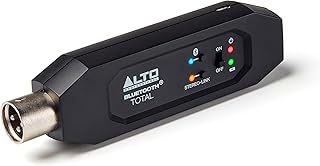
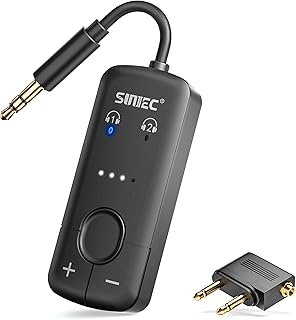


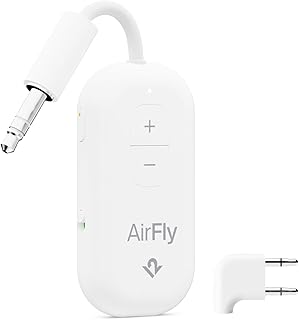
![1Mii [Upgraded] ML302 Bluetooth 5.3 Transmitter Receiver, RCA AUX Wireless Audio Adapter, 30H Playtime, Dual Link, aptX LL/AD/HD Hi-Fi Sound for TV, Home Stereo, Speaker, Headphones](https://m.media-amazon.com/images/I/61YrvXb+D5L._AC_UL320_.jpg)




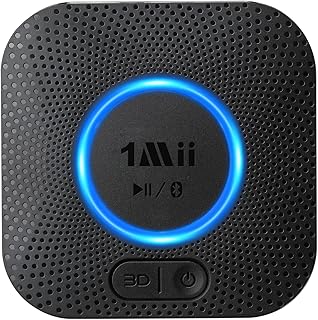
![[Upgraded] 1Mii B06Pro Long Range Bluetooth Receiver, HiFi Wireless Audio Adapter, Bluetooth 5.0 Receiver with 3D Surround aptX Low Latency Optical RCA AUX 3.5mm Coaxial for Home Stereo System…](https://m.media-amazon.com/images/I/51ixoKxc1KL._AC_UL320_.jpg)
Choosing a Bluetooth adapter is less about finding the newest specification and more about matching the adapter to the device, operating system, connection type and Bluetooth features you actually need. A compact USB adapter for a Windows desktop has different priorities from a Bluetooth transmitter for a television, a receiver for an older car stereo, or an adapter intended to connect multiple peripherals.
For Australian buyers, compatibility should be checked before price, range claims or feature lists. A Bluetooth adapter can be technically capable yet unsuitable for a particular computer, console, television, car audio system or operating environment. Before purchasing, identify whether you need Bluetooth transmission, reception, or both, then confirm the required ports, operating-system support, Bluetooth profile support and power requirements.
USB Bluetooth adapters are commonly used to add Bluetooth connectivity to desktop computers and other compatible devices. They are particularly useful when a PC does not have built-in Bluetooth or when its existing wireless hardware does not provide the required Bluetooth functionality.
For a desktop PC, consider the physical location of the USB port as well as the adapter's specifications. A rear-mounted computer under a desk may have a less favourable radio environment than a laptop or a USB adapter positioned away from a metal chassis. If range and connection stability matter, an adapter with a practical antenna arrangement can be worth considering over the smallest possible dongle.
A Bluetooth transmitter sends audio from a source device to compatible Bluetooth headphones, earbuds or speakers. This type is particularly relevant when connecting wireless headphones to equipment that does not have native Bluetooth audio transmission, such as some televisions or older entertainment equipment.
When shopping for a transmitter, check the available input connection. Depending on the product, this may include 3.5 mm analogue audio, optical digital audio or another connection. The transmitter must support the audio setup used by the source device, and some televisions require specific audio-output settings before an external transmitter will work correctly.
A Bluetooth receiver performs the opposite task: it receives wireless audio from a phone, tablet or computer and sends that audio to a wired audio system. This can be useful for adding Bluetooth streaming to older powered speakers, amplifiers, stereos or car audio systems.
Connection options matter because the receiver must connect physically to the audio equipment. Check whether the product provides the appropriate 3.5 mm, RCA, optical or other output required by the destination system.
2-in-1 Bluetooth devices combine transmitting and receiving modes. They can be useful for households with several older devices because the same unit may serve different purposes depending on the selected operating mode.
However, combination products are not automatically better. A dedicated transmitter or receiver can be preferable when you need a specific feature set, more straightforward controls or a particular connection type. Evaluate the individual modes rather than assuming every advertised function works simultaneously.
Bluetooth version numbers are useful, but they should not be treated as a simple measure of overall product quality. A newer Bluetooth generation can provide improvements in efficiency, connectivity and feature support, but the practical result depends on both ends of the connection and the profiles and codecs implemented by the devices.
For example, pairing a modern phone with an older Bluetooth accessory does not make the accessory operate with every capability of the newer phone. Bluetooth communication is negotiated according to what both devices support.
When comparing products, look beyond statements such as “latest Bluetooth technology”. Check the exact Bluetooth version, supported profiles, supported codecs where relevant, operating-system compatibility and intended use.
Many current adapters use Bluetooth 5.x technology. Features associated with newer Bluetooth generations can be valuable, but the exact implementation differs between products. Two adapters advertising the same Bluetooth generation may still have different driver support, antennas, profiles, audio codecs and practical performance.
For ordinary computer peripherals, stable compatibility can be more important than choosing a product solely because it advertises the highest Bluetooth version.
Bluetooth profiles define how Bluetooth functionality is used. This is an important specification that is often overlooked when comparing inexpensive adapters.
The correct profile support depends on what you are connecting. An adapter intended mainly for a mouse and keyboard does not necessarily provide the same audio functionality as a Bluetooth audio transmitter.
If the adapter is intended for wireless audio, codec support deserves particular attention. A Bluetooth codec determines how digital audio is encoded and transmitted between compatible devices.
SBC is widely supported and provides broad compatibility. Other codecs can provide different combinations of sound quality, latency and bandwidth, but support must exist on the relevant devices. An adapter supporting a particular codec does not guarantee that every connected headphone, earbud, phone or television will use it.
For music listening, codec support may be an important comparison point. For television viewing or gaming, latency can be equally significant. A specification list that focuses only on Bluetooth version may therefore leave out information that matters more to the actual use case.
Latency is the delay between an audio signal being produced and the sound being heard. Excessive latency can make dialogue appear out of sync with video or make gaming less responsive.
If an adapter is being purchased for a television, look specifically for information about audio latency and supported low-latency technologies rather than assuming that a newer Bluetooth version automatically eliminates delay.
For gaming, consider the entire wireless audio chain. The transmitter, headset and audio source can all affect the final experience. A low-latency claim on one component does not necessarily guarantee low latency across the complete setup.
Bluetooth range depends on more than the number printed on the packaging. Walls, furniture, metal objects, electronic interference, antenna design, transmit power and the receiving device can all influence practical connectivity.
A product advertised for long-range operation may perform differently in a crowded home office or behind a desktop computer than it does in an unobstructed environment.
For everyday computer use, stable connectivity within the room may matter more than an ambitious maximum-range figure. For whole-room or multi-room audio applications, however, environmental conditions become much more important.
The physical USB connection is another consideration when choosing a Bluetooth dongle. USB 3.x equipment and cables can create radio-frequency interference in some setups, potentially affecting nearby wireless devices. This does not mean every USB 3.x port will cause a problem, but placement can matter when wireless performance is marginal.
If a tiny Bluetooth dongle performs poorly when connected directly behind a desktop computer, repositioning it using a suitable USB extension can sometimes provide a better radio environment. This is particularly relevant when the computer chassis is close to walls, metal furniture or other sources of interference.
Windows compatibility should be checked carefully because Bluetooth support can depend on the adapter chipset, operating-system version and available drivers. Some adapters work with native operating-system functionality, while others depend on manufacturer-provided drivers or software.
Before buying, verify the exact Windows versions supported by the product and whether the manufacturer provides appropriate drivers. This is particularly important for older computers, specialist peripherals and products with advanced Bluetooth functions.
Microsoft Windows can already provide Bluetooth functionality on many modern computers, so an external adapter may not be necessary unless the built-in hardware is absent, defective or insufficient for the intended application.
Mac compatibility should never be assumed simply because a USB Bluetooth adapter works with Windows. Driver availability and operating-system support can differ substantially between products.
The same principle applies to Linux, smart televisions, gaming devices and other platforms. Before purchasing, identify the exact device and operating system rather than relying on a generic statement such as “works with computers”.
The chipset is one of the less visible specifications that can have a significant effect on compatibility. Manufacturers may use chipsets from established wireless component suppliers, but the same Bluetooth generation can be implemented differently depending on the chipset, firmware and drivers.
When detailed technical information is available, checking the chipset can help technically experienced buyers compare products. However, chipset information should be treated as one factor rather than a guarantee of performance.
Bluetooth dongles range from extremely small nano adapters to larger devices with visible antennas. A nano adapter is convenient and unobtrusive, particularly for laptops and compact PCs. Larger designs may offer different antenna arrangements that can be advantageous where signal conditions are challenging.
Build quality also matters. A USB adapter that remains permanently connected to a desktop computer can experience more mechanical stress than one used occasionally. A compact body with a secure USB connector can therefore be preferable for a portable setup, while a larger adapter may make more sense when wireless performance is the primary consideration.
Desktop users should first check whether the motherboard already includes Bluetooth through its integrated wireless hardware. If it does, purchasing another adapter may provide little benefit unless there is a specific compatibility or performance reason.
For a desktop without Bluetooth, a USB adapter is usually the simplest upgrade. Consider USB-port placement, operating-system support, antenna design and the peripherals you intend to connect.
If the computer will use Bluetooth headphones, keyboards, mice, controllers and other devices simultaneously, investigate the adapter's documented capabilities rather than assuming that all Bluetooth devices will behave identically.
Laptops often already include Bluetooth, making an external adapter unnecessary. An external device can still be relevant in certain circumstances, but compatibility should be confirmed first.
Port availability is another practical consideration. On a modern laptop with limited USB-A ports, a traditional USB-A Bluetooth dongle may require an adapter or hub. A product with the appropriate connector can make the setup simpler, provided its operating-system compatibility is suitable.
Television use requires more careful product selection because Bluetooth transmitters and computer Bluetooth dongles are not interchangeable. A USB Bluetooth dongle designed for a Windows PC generally cannot simply be plugged into a television and expected to transmit audio.
For TV headphones, look for a Bluetooth audio transmitter with an input matching the television's available audio output. Optical digital audio can be useful on televisions that provide it, while 3.5 mm connections may be suitable on compatible equipment.
Also check whether the television's audio settings allow sound to be output through the selected connection. Some TVs may require adjustments to digital audio format or output settings.
For vehicle use, distinguish between a Bluetooth receiver and a transmitter. If the car stereo has an auxiliary input but lacks Bluetooth, a receiver can potentially add wireless music streaming from a phone.
Power is another consideration. Car-oriented Bluetooth receivers may be designed around USB power or another vehicle-compatible power source. Buyers should also consider whether the product supports hands-free calling if that functionality is required.
Do not assume that every Bluetooth receiver is suitable for hands-free communication. Audio streaming and telephone functions can involve different Bluetooth profiles and microphone arrangements.
If the goal is to use wireless headphones with a device that has no Bluetooth, the correct product is generally a Bluetooth transmitter rather than a receiver.
For headphones used primarily with a television, prioritise compatibility with the TV's audio output and low-latency performance. For use with a computer, confirm compatibility with the operating system and the required audio functions.
For peripherals, profile support and operating-system compatibility are generally more important than audio codecs. Buyers should check whether the adapter supports the intended type of HID device and whether multiple peripherals can be used as required.
Gaming controllers may introduce additional compatibility considerations. A controller that uses Bluetooth does not necessarily work with every Bluetooth-equipped computer or operating system, so verify compatibility for the specific controller model.
Bluetooth supports different connection arrangements depending on the device type, Bluetooth implementation and software. There is no universal number that applies to every adapter and every use case.
If you plan to connect several devices simultaneously, such as a keyboard, mouse, controller and headset, check manufacturer documentation for relevant limitations. Also remember that bandwidth and interference can become increasingly important as wireless activity increases.
For laptops and portable devices, power consumption can be more relevant than it is for desktop computers. Bluetooth itself is designed for relatively efficient wireless communication, but the overall power impact depends on the adapter, connected devices and usage pattern.
For permanently installed equipment such as a desktop PC or television, power consumption is usually less important than compatibility and connection stability.
Bluetooth connections should be managed with the same basic security awareness applied to other wireless technologies. Keep operating systems and device firmware appropriately updated, avoid pairing with unknown devices, and remove old pairings that are no longer needed.
When using Bluetooth in public environments, be cautious about accepting unexpected pairing requests. The security features available can vary according to Bluetooth version, operating system and connected equipment.
A higher Bluetooth version number does not automatically mean that an adapter is the best choice. Driver support, profiles, codecs, chipset implementation and compatibility may have greater practical importance.
This is one of the most common purchasing errors. A receiver accepts Bluetooth audio and sends it to another device, while a transmitter sends audio to Bluetooth headphones or speakers. A product must support the direction of communication required by the setup.
A product described as a USB Bluetooth adapter may be designed specifically for Windows. Always check the supported operating systems before purchasing.
A USB connector only describes the physical interface. It does not guarantee that a television, console, car system or other device will recognise and support the Bluetooth adapter.
Maximum range is not necessarily the best measure of everyday performance. Antenna placement, interference and the receiving device can have a substantial effect on real-world connectivity.
A Bluetooth transmitter can be suitable for music but disappointing for television or gaming if latency is high. For video applications, investigate latency-related specifications before buying.
Codec support depends on the connected devices. A transmitter, receiver, phone, television and headphones may all support different codec combinations.
A useful comparison should begin with the intended application rather than the product's marketing headline. Create a short list using the following criteria:
Established brands can be useful starting points when comparing Bluetooth adapters, particularly where driver support, documentation and compatibility information matter. Depending on the type of product, buyers may encounter brands such as TP-Link, ASUS, UGREEN, Avantree, Logitech, Belkin and Creative.
Brand reputation should not replace product-level research. A manufacturer may offer several Bluetooth adapters designed for different purposes, so compare the exact model's specifications rather than choosing solely by brand name.
Customer reviews can provide useful information, but they are most valuable when interpreted carefully. Look for recurring patterns rather than isolated positive or negative comments.
Reviews from buyers using a completely different setup may not be directly relevant. A product that works well for a desktop keyboard may not be the appropriate choice for transmitting television audio.
Start with the manufacturer's specifications where available, then compare the exact model across reputable Australian retailers and marketplace listings. Pay attention to model numbers because similar-looking products can have different hardware revisions or feature sets.
Check the current product documentation rather than relying on an old review of a similarly named adapter. Bluetooth products can change over time, and listings can sometimes combine information for multiple variants.
Australian buyers should consider the complete purchasing proposition rather than simply selecting the lowest listed price. Compare the exact model, included accessories, connector type, seller information, delivery expectations and applicable warranty information.
When purchasing through an Australian retailer or marketplace, check the current listing carefully because stock status, seller arrangements and product variants can change. For imported products, also pay attention to whether the listing is supplied through an Australian seller or an overseas marketplace seller.
Australian Consumer Law can provide consumer guarantees for eligible purchases, but the practical process for obtaining assistance can vary depending on the seller and purchase circumstances. Check the retailer's current terms and the applicable consumer protections before making an important purchase.
Test the connection in the environment where the adapter will actually be used. For audio, check both sound quality and synchronisation. For peripherals, test wake-from-sleep behaviour, responsiveness and reconnection after restarting the computer.
Check the USB connection, operating-system compatibility and driver requirements. Try another compatible USB port if appropriate, and confirm that the device appears in the operating system's hardware or Bluetooth settings.
Confirm that the headphones are actually in pairing mode and are not already connected to another nearby device. Clear obsolete pairings when appropriate and retry the pairing process.
Move the devices closer together and remove unnecessary physical obstacles. Consider nearby wireless equipment and the position of the adapter, particularly when it is installed behind a desktop computer.
Check whether the transmitter and headphones support an appropriate low-latency technology. Also verify that the television or source device is configured correctly. A newer Bluetooth version by itself does not guarantee minimal audio delay.
On computers, investigate driver installation, operating-system Bluetooth settings and power-management behaviour. If the issue is persistent, check the adapter manufacturer's support documentation for the specific model and operating system.
Desktop PC users have another option: a PCIe wireless card that combines Wi-Fi and Bluetooth functionality. This can be attractive when a desktop requires both wireless networking and Bluetooth and has an available internal expansion slot.
A PCIe solution is less portable than a USB dongle and requires opening the computer case, but it can offer a different antenna arrangement and a more permanent installation. Buyers should confirm motherboard compatibility, available PCIe slots and any internal USB connection required for Bluetooth functionality.
A USB extension cable can be useful when a desktop's metal chassis or surrounding equipment interferes with Bluetooth performance. Moving the adapter to a more open position can improve the radio path without changing the Bluetooth hardware.
This is particularly useful when the computer is positioned underneath a desk or inside a cabinet. However, an extension cable is not a substitute for choosing an adapter that is compatible with the operating system and intended devices.
If a computer already includes functional Bluetooth, an external adapter may provide little advantage for ordinary use. The built-in solution is typically simpler because the hardware and drivers are already integrated into the system.
An external adapter becomes more compelling when the existing Bluetooth hardware is unavailable, malfunctioning or unsuitable for a particular application. In that situation, compare the external adapter's compatibility and features against the capabilities you already have.
Bluetooth and Wi-Fi are different wireless technologies designed for different purposes. A Wi-Fi adapter connects a device to a wireless network, while a Bluetooth adapter enables compatible short-range Bluetooth connections.
Some desktop wireless cards combine Wi-Fi and Bluetooth, but a Wi-Fi adapter should not be assumed to provide Bluetooth unless Bluetooth functionality is explicitly included.
Bluetooth adapters are available across a wide range of prices, but the cheapest option is not necessarily the most economical if it creates compatibility problems or lacks required features.
For basic peripherals, an affordable adapter from a reputable manufacturer may be sufficient. For specialised audio applications, a higher-priced model can be justified when it provides the required inputs, outputs, codec support, low-latency functionality or operating-system compatibility.
The sensible approach is to pay for capabilities that solve a real requirement rather than paying extra simply for a longer feature list.
There is no single Bluetooth adapter that is best for every Australian buyer. The right choice depends on whether you need computer connectivity, television audio transmission, stereo audio reception, car audio functionality or support for Bluetooth peripherals. Compatibility and the required connection type should come before brand or price.
No. A USB Bluetooth adapter may require specific drivers and operating-system support. A computer adapter should not automatically be expected to work with a television, gaming console, car stereo or other USB-equipped device.
Newer Bluetooth generations can provide useful technical improvements, but the practical advantage depends on the connected devices and the features implemented by the adapter. Profiles, codecs, drivers, antenna design and compatibility can be equally important.
A transmitter sends audio from a source to Bluetooth headphones or speakers. A receiver accepts Bluetooth audio from a phone, tablet or computer and outputs it to a wired audio system. Some products provide both functions.
Only if the specific adapter and television support the required functionality. A dedicated Bluetooth audio transmitter is generally the relevant product for sending TV audio to Bluetooth headphones. Check the TV's available audio outputs and the transmitter's supported inputs.
Potentially, but the number and types of simultaneous connections depend on the adapter, Bluetooth implementation, operating system and connected devices. Check the manufacturer's specifications when multiple peripherals are important.
Not automatically. Audio quality depends on the source, transmitter, receiver or headphones, codec, Bluetooth implementation and other parts of the audio chain. An adapter should be selected for compatibility and required audio capabilities rather than Bluetooth version alone.
For audio, perceived delay may result from codec and device latency rather than the adapter alone. For peripherals, interference, drivers, distance and device power-management settings can affect responsiveness.
It depends on the environment. A compact nano adapter can be ideal for portability and ordinary short-range use, while a design that allows better antenna positioning can be useful for a desktop computer in a difficult wireless environment.
No. The best value depends on the required features. A basic adapter can be entirely suitable for simple peripherals, while specialised audio applications may justify spending more for particular inputs, codecs, latency characteristics or compatibility.
The strongest Bluetooth adapter purchase is the one that solves the specific connectivity problem without adding unnecessary complexity. Start with the equipment you already own, determine the direction of Bluetooth communication, identify the required physical connection and then compare compatible products on profiles, operating-system support, audio capabilities, range considerations and customer feedback.
For Australian shoppers, always check the current specifications and exact model number before ordering. Product listings, variants and availability can change, so the most useful comparison is based on the specifications of the particular unit you intend to buy rather than a generic description of a product family.