

♥ Wishlist
Compare 40 verified Smart Cameras and Doorbells for Australian Homes products in Australia. Reviews, ratings, pros, cons and buying advice updated for October 2026.
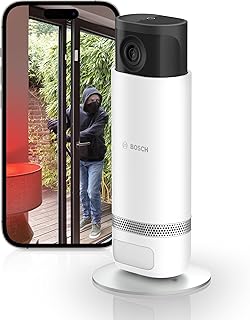


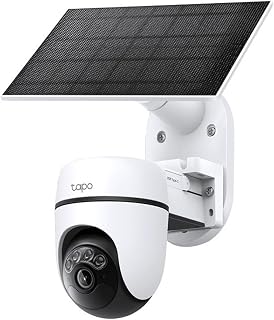


Choosing a smart camera or video doorbell for an Australian home is about more than finding the product with the highest resolution or the longest feature list. The right choice depends on where the device will be installed, how it will be powered, what type of footage you need, how much cloud storage you are prepared to use, and whether the camera must continue working reliably through heat, rain, dust and changing Wi-Fi conditions.
This buying guide is designed to help Australian shoppers compare smart security cameras and doorbells on the factors that matter after installation: image quality, detection accuracy, night vision, local and cloud storage, connectivity, power requirements, weather resistance, privacy, smart-home compatibility and ongoing costs. Brands commonly considered in this category include Ring, Google Nest, Arlo, eufy Security, Reolink, TP-Link Tapo, Aqara, Blink and Swann, but individual models can differ substantially even within the same brand.
A video doorbell and a conventional outdoor security camera solve related but different problems. A doorbell is normally positioned at an entrance and is designed to show who is approaching, standing at or interacting with the doorway. A security camera can be positioned to monitor driveways, side passages, gardens, garages, gates, balconies or larger outdoor areas.
If your primary concern is visitors, deliveries and activity directly outside your front door, a video doorbell may provide the most useful perspective. If you need to watch a driveway or broad outdoor area, a dedicated security camera can offer more flexible positioning and coverage.
Many Australian households benefit from using both. A doorbell can cover the entrance while one or more cameras eliminate blind spots around the property.
Resolution is important, but it should not be treated as the only measure of image quality. A higher-resolution sensor can capture more detail, yet lens quality, image processing, lighting, compression, field of view and the distance between the camera and subject all affect what you can actually see.
For a doorbell, consider whether the camera can clearly show a person's face when they are standing close to the entrance. For a driveway camera, consider how much detail remains visible farther away. A wide image can cover more ground but may make individual subjects appear smaller.
When comparing specifications, look beyond phrases such as HD, Full HD, 2K or 4K. Check the actual viewing angle, aspect ratio, sensor configuration and available video modes. A camera with a very wide perspective may provide excellent coverage while sacrificing some detail at the edges.
Australian properties can present challenging lighting conditions. A camera facing an entrance may have bright sunlight behind a visitor, while a driveway can alternate between strong daylight and deep shade. High dynamic range processing can help preserve useful detail in scenes containing both very bright and relatively dark areas.
This is especially important when the camera faces a street, driveway or entrance that receives direct sunlight. Do not assume that two cameras with similar resolution will produce identical results in difficult lighting.
Night performance deserves close attention because security cameras are often expected to operate continuously. Infrared night vision can provide monochrome footage in darkness, while some cameras use visible-light illumination to produce colour footage under suitable conditions.
Compare the manufacturer's stated night-vision capabilities with the actual installation environment. Walls, fences, reflective surfaces, nearby lights and vegetation can affect the usefulness of night footage. A camera mounted beside a light-coloured wall may also produce unwanted infrared reflections.
Field of view determines how much of the scene fits inside the image. A wide field of view can be valuable for entrances and compact outdoor areas, but an excessively wide image may make distant subjects appear smaller.
For a front door, vertical coverage can be particularly useful because a visitor may be standing relatively close to the camera. For a driveway, horizontal coverage may be more important. Before buying, consider the physical shape of the area you want to monitor rather than selecting a camera solely because its viewing angle is large.
Smart detection can make security alerts considerably more useful by distinguishing relevant activity from every movement detected in the scene. Depending on the model, intelligent detection may include people, vehicles, animals, packages or other categories.
Detection technology should be evaluated alongside notification controls. The ability to define activity zones, adjust sensitivity and restrict alerts to particular types of events can be more valuable than simply having a large number of detection categories.
For an Australian suburban property, activity zones can be especially useful where a camera also sees a footpath, public road or neighbouring property. Restricting the monitored area can reduce unnecessary notifications and help maintain appropriate privacy boundaries.
Two-way audio allows the homeowner to communicate through the camera or doorbell. This can be useful when answering the door remotely, communicating with a delivery driver or warning an unexpected visitor that the property is monitored.
When comparing models, consider microphone sensitivity, speaker clarity, audio delay and whether communication remains practical when the person at the door is several metres away. A technically impressive camera can still be inconvenient if conversations are difficult to hear.
Motion alerts are useful only when they provide actionable information. A camera pointed toward a busy road may generate repeated alerts if its detection settings are not configured correctly.
Look for products that provide practical control over detection areas, sensitivity and notification categories. The best configuration is usually one that gives you fewer but more meaningful alerts rather than notifying you about every moving shadow, passing vehicle or swaying branch.
Power is one of the most important buying decisions because it affects installation, maintenance and reliability.
Battery-powered cameras and doorbells are attractive when you want to avoid electrical work or when there is no suitable existing wiring. Installation can be comparatively flexible, making these products useful for renters where permitted, detached structures and locations without convenient power.
The trade-off is maintenance. Battery life depends on factors such as recording frequency, motion activity, weather, signal strength, video quality and temperature. A camera covering a busy driveway may consume considerably more energy than one monitoring a quiet entrance.
Before buying a battery model, consider how easily the unit can be removed for charging and whether an optional power accessory is available for the particular model. A theoretically long battery interval is less useful if the camera is installed high above the ground and difficult to access.
Wired cameras and doorbells can be preferable for permanent installations because they avoid regular battery charging. They can be particularly suitable for homeowners who already have appropriate doorbell wiring or outdoor power available.
However, installation requirements vary. Some products require low-voltage doorbell wiring, while others require a dedicated power supply. Do not assume that an existing doorbell transformer or wiring arrangement will automatically be compatible.
Where electrical installation is required, use an appropriately qualified professional when necessary and follow Australian electrical requirements rather than attempting unsuitable DIY work.
Solar accessories can reduce the frequency of manual charging for compatible outdoor cameras. Their effectiveness depends on installation direction, available sunlight, shading, weather and the camera's energy consumption.
A solar panel should not be treated as a guarantee of perpetual operation. Trees, roof overhangs and seasonal changes can affect available sunlight, so check the manufacturer's compatibility requirements and recommended installation conditions.
A smart camera is only as dependable as its connection and power supply. A premium camera installed at the edge of a property's Wi-Fi coverage may perform less reliably than a less expensive camera positioned where the wireless signal is strong.
Before purchasing, think about the distance between the proposed camera location and the router. Brick walls, concrete, metal structures, garages and multiple floors can reduce wireless performance.
For larger Australian homes, a mesh Wi-Fi system may provide more consistent coverage than relying on a single router. If the camera supports a wired network connection, that can also be worth considering for a fixed installation where maximum connection stability is important.
Storage is one of the biggest differences between smart security products. Some systems are built primarily around cloud recording, while others offer local storage through a memory card, base station, network recorder or another compatible storage method. Some products support a combination of local and cloud storage.
Storage policies differ between manufacturers and models, so always check exactly what is included, what requires a subscription, how long recordings are retained and what happens when a subscription expires.
The purchase price is only one part of the ownership cost of a smart security system. A lower-priced camera can become more expensive over time if essential recording, advanced detection or extended history requires a recurring subscription.
Conversely, a product with a higher initial cost may provide the features you need without the same recurring charges. Compare the complete ownership model rather than ranking products solely by purchase price.
When assessing a subscription-based system, check whether the plan applies per camera, per household or by another structure. Also verify which features remain available without a paid plan. Manufacturers can change service structures, so current terms should be checked before purchase.
Outdoor security equipment needs to cope with more than occasional rain. Australian conditions can include intense sunlight, high temperatures, storms, dust, coastal moisture and rapid weather changes depending on the region.
Look for an appropriate ingress-protection rating when available and distinguish between products intended for indoor use and those specifically designed for outdoor installation. A weather-resistant enclosure does not mean the device can be installed in any exposed position without considering the manufacturer's mounting instructions.
Direct sunlight can also affect a camera even when water ingress is not a concern. A shaded or appropriately positioned installation may help reduce heat exposure and unwanted glare.
Homes near the coast may face additional environmental exposure. Salt-laden air can be harsh on outdoor equipment and mounting hardware. Buyers in coastal areas should pay particular attention to the manufacturer's environmental guidance and use suitable mounting materials.
For hot climates, review the operating-temperature range specified for the particular device. A camera exposed to afternoon sun on a dark exterior wall can experience substantially more heat than one mounted in a shaded position.
Smart cameras capture potentially sensitive information, so privacy should be part of the buying decision. Before installation, consider what areas the camera can see, who can access the account and how footage is stored.
Australian privacy and surveillance obligations can vary according to circumstances and jurisdiction. Homeowners should consider applicable Australian and state or territory requirements, particularly when cameras capture areas beyond their own property.
Compatibility with an existing smart-home ecosystem can make everyday use easier. If your household already uses Google Home, Amazon Alexa, Apple Home or another supported platform, check whether the camera or doorbell integrates with the system you actually use.
Compatibility should be assessed at the individual model level rather than assuming every product from a particular brand supports every platform. Features available through a smart-home integration may also differ from those available in the manufacturer's own application.
Using several cameras from compatible products can simplify notifications, user permissions and daily monitoring. It may also reduce the need to switch between multiple applications.
However, ecosystem compatibility should not override core security requirements. A camera with excellent smart-home integration is still a poor choice if it cannot provide the coverage, storage or reliability required for the installation.
The physical position of the doorbell button matters. It should be reachable by visitors while keeping the camera angle appropriate for identifying people at the entrance.
A doorway is often a vertically constrained environment. A camera designed around a broad horizontal scene may not provide the best view of packages placed near the ground. Check the camera's image shape and mounting orientation before purchase.
If parcel monitoring is important, consider whether the camera can see the area where deliveries are normally placed. A feature advertised as package detection cannot compensate for a physical camera angle that does not show the delivery area clearly.
Some homes have existing wired chimes, while others rely on wireless or smart chimes. Compatibility varies by product. Check whether the doorbell includes an appropriate chime solution or requires a separately purchased accessory.
There is no universally best brand for every Australian household. Each ecosystem approaches storage, power, applications, detection and smart-home integration differently.
Brand reputation should be a starting point rather than the final buying criterion. The exact camera model, storage arrangement, power source and software features determine whether a product suits your property.
Apartment buyers may have different installation limitations from detached-home owners. Check building rules, strata requirements and restrictions on drilling or modifying common property before installing equipment.
A compact doorbell or camera can be appropriate where the main objective is monitoring the immediate entrance. Wireless installation can be convenient where permitted, but Wi-Fi coverage should be tested carefully.
A typical detached home may require coverage of the front entrance, driveway, garage and backyard. Instead of selecting one camera with an extremely wide field of view, consider whether strategically positioned cameras would provide more useful coverage.
Large blocks require greater attention to network coverage, power availability and recording capacity. A mixture of wired cameras, strategically positioned access points and local recording may be more practical than relying exclusively on battery-powered Wi-Fi devices.
Renters should prioritise installation methods that do not unnecessarily damage the property, subject to the rental agreement and applicable rules. Battery-powered devices may provide greater flexibility, but the frequency of charging and the security of removable hardware should be considered.
A high mounting position can make the device harder to tamper with, but excessive height can produce an unhelpful viewing angle. Faces may be captured from above rather than at a useful identification angle.
Strong sunlight can create glare, washed-out images and difficult exposure conditions. Where possible, orient the camera to reduce direct exposure into the lens during important monitoring periods.
A bright road, reflective wall or large window behind a person can challenge exposure systems. Examine the scene at different times of day before finalising the mounting position.
Signal quality is easy to overlook during installation. Test connectivity at the actual mounting position rather than assuming that a nearby room will have identical wireless performance.
A battery camera mounted in an inaccessible position can become frustrating when it needs charging, cleaning or troubleshooting. Installation convenience should be evaluated over the entire ownership period.
The answer depends on how the footage will be used. Higher resolution can provide additional detail, but it can also increase storage requirements and potentially place greater demands on network bandwidth and processing.
For identifying activity close to a front door, a well-designed lower-resolution camera may be perfectly adequate. For a large driveway where you need to inspect distant activity, additional resolution can be more valuable.
Compare the entire imaging system rather than buying based on a resolution number alone. Lens quality, sensor size, image processing, frame rate, night performance and field of view all contribute to the final result.
Event recording saves clips when the camera detects relevant activity. This can reduce storage requirements and make reviewing footage easier.
Continuous recording can provide a more complete timeline and may be valuable when you need to investigate what happened immediately before or after an event. However, it typically requires greater storage capacity and a suitable power arrangement.
Not every smart camera supports continuous recording, and support can depend on the power source, storage configuration or subscription plan. Check the specific model's current documentation before purchasing if continuous recording is essential.
The mobile application is part of the product experience. A camera with excellent hardware can be frustrating if the app makes routine tasks unnecessarily complicated.
4K branding can be appealing, but resolution does not automatically guarantee better identification. A poorly positioned high-resolution camera can perform worse for your specific application than a properly positioned lower-resolution model.
Always establish which features remain available without an ongoing plan. Essential functionality should be evaluated separately from optional premium features.
Published battery estimates depend on usage conditions. Frequent motion events, live viewing and challenging wireless conditions can alter real-world battery consumption.
A camera can be excellent on paper and still fail to cover the critical area of your property. Measure the installation location and visualise the required coverage before buying.
Evaluate the scene after dark. Streetlights, porch lights, reflective surfaces and vehicle headlights can dramatically change what the camera sees.
Storage requirements can grow quickly when multiple cameras record frequently. Confirm retention options and storage capacity before selecting a multi-camera setup.
Security equipment should be positioned deliberately. Avoid capturing areas that are irrelevant to your security objective, particularly neighbouring private spaces.
Manufacturers use many technical terms, but not every specification deserves equal weight. Start with the features that directly affect your intended use.
A multi-camera system should be designed around property access points rather than simply adding cameras wherever convenient. Begin by identifying the locations where people are most likely to approach or enter the property.
Avoid excessive overlap unless redundancy is intentional. Multiple cameras viewing the same small area may provide less additional value than one camera covering an otherwise unmonitored access point.
Premium features are worthwhile when they solve a specific problem. Intelligent detection can be valuable for busy locations where basic motion alerts create too many notifications. Local recording can be valuable for users who want greater control over storage. Higher resolution can be worthwhile for distant monitoring. Better low-light performance can matter when the camera is primarily used after dark.
Conversely, features that you will never use should not automatically justify a higher price. Buyers should prioritise the capabilities that directly support their security objectives.
Some specifications are easy to market but less important in everyday use. Extremely high resolution is of limited benefit if the lens is poorly positioned. A huge number of smart alerts can become counterproductive if notifications are difficult to control. A long list of smart-home integrations may be irrelevant if your household uses only one platform.
The best buying decision is therefore the one that balances specifications against installation conditions, software usability, storage requirements and total ownership cost.
Customer reviews can reveal practical issues that are not obvious from a specification sheet. When reading verified customer feedback, look for repeated comments rather than relying on a single highly positive or negative review.
Pay particular attention to recurring observations about connectivity, battery performance, application reliability, installation difficulty, night vision, false alerts and storage. Reviews written immediately after purchase may focus on installation, while longer-term feedback can reveal maintenance or software issues.
It is also useful to compare reviews across multiple retailers and sources where possible. A product with thousands of reviews can still have a particular weakness that only becomes visible when comments are grouped by theme.
Australian buyers should consider the environment in which the product will operate rather than assuming that a camera designed for outdoor use is suitable for every Australian climate.
If you are buying your first smart security device, avoid building an unnecessarily complicated system. Start by identifying the single location that matters most, such as the front entrance or driveway.
Choose a product that provides the necessary image quality, power arrangement and storage method for that location. After using it for a period of time, you will have a better understanding of how frequently alerts occur, how much footage you actually need and whether additional cameras would provide meaningful coverage.
If you already own security cameras, compatibility and migration costs become more important. Determine whether the new camera can coexist with your existing system or whether it introduces another application, account and subscription.
Before replacing functioning equipment, identify the exact weakness in the existing setup. If the problem is poor Wi-Fi coverage, replacing the camera may not solve it. If the problem is insufficient night visibility, changing the mounting position or lighting could be equally important. If the problem is excessive notifications, a model with better detection controls may provide a more targeted improvement.
Use the following framework when comparing shortlisted products from brands such as Ring, Google Nest, Arlo, eufy Security, Reolink, TP-Link Tapo, Aqara, Blink and Swann.
Regular maintenance helps preserve image quality and reliability. Outdoor cameras gradually accumulate dust, insects, water marks and other debris that can reduce clarity.
Installation should be treated as an optimisation process rather than a one-time task. After mounting the camera, view the live image at different times of day and check whether the important areas remain visible.
Walk toward the camera from the directions a visitor would normally approach. Test the image during daylight, at dusk and after dark. Check whether faces are clearly visible and whether motion alerts are triggered at useful points.
For cameras monitoring driveways or gates, test whether vehicles are visible before entering and leaving the property. For doorbells, check whether the camera can see both a person's face and the area where parcels are likely to be placed.
There is no single best product for every Australian household. The right option depends on installation location, budget, power availability, storage preferences, smart-home ecosystem, desired video quality and whether you need a doorbell or a dedicated security camera.
A smart doorbell can be worthwhile if you want remote visitor notifications, video at the entrance and two-way communication. It can be particularly useful for monitoring deliveries and identifying people approaching the front door.
Neither is universally better. Wired cameras can be convenient for permanent installations because they avoid regular battery charging, while wireless models provide greater installation flexibility. The best option depends on power availability, installation constraints and maintenance preferences.
Many consumer smart cameras use Wi-Fi for remote access and cloud-connected features, but connectivity options vary. Some security cameras can use wired Ethernet or other networking arrangements. Check the specific model before purchase.
Some products can continue recording locally without an active internet connection, while cloud-dependent functions may stop working or become limited. The exact behaviour depends on the camera, storage method and system architecture.
Not always. Some products provide useful functionality without a subscription, while others place certain recording, detection or history features behind a paid service. Check the current terms for the exact model you are considering.
Local and cloud storage have different advantages. Local storage can provide greater control and may reduce recurring costs, while cloud storage can make remote access and storage management more convenient. A hybrid approach can also be useful where supported.
It depends on the distance and purpose. A camera covering a nearby front door may not require the same resolution as one monitoring a distant driveway. Field of view, lens quality, lighting and image processing are also important.
A doorbell can cover the entrance effectively but does not necessarily provide adequate coverage for driveways, side gates, backyards or other areas. A dedicated security camera may be needed to eliminate those blind spots.
They can be suitable for many homes, but battery performance varies according to activity levels, settings, connectivity, temperature and usage. Buyers should consider how frequently the unit will need charging and how accessible it is after installation.
Some battery-powered models are designed for relatively straightforward installation. Wired installations may have additional electrical or compatibility requirements. Follow the manufacturer's instructions and use an appropriately qualified professional where electrical work requires one.
Useful low-light imaging is more important than a single specification. Look at night-vision technology, infrared performance, available illumination, HDR or image processing and the lighting conditions at the intended installation point.
Using one ecosystem can simplify applications, accounts and device management, but it is not mandatory. A mixed-brand system can make sense when a particular camera provides a feature that your existing brand does not offer.
There is no universal number. Start with the most important access points and expand according to genuine blind spots. A carefully planned two- or three-camera system can be more useful than several poorly positioned cameras.
Compare the specific models rather than choosing solely by brand. Examine storage, subscription requirements, power, detection, image quality, connectivity, smart-home integration and installation requirements. The strongest option for one household may be a poor fit for another.
A useful buying guide should not declare one product the winner simply because it has the largest specification numbers. Smart security equipment is highly dependent on the environment in which it is installed.
For this reason, comparisons should consider practical performance categories including video quality, installation, power, connectivity, storage, intelligent detection, privacy, ongoing costs and long-term usability. Product specifications and retailer information should be checked before purchase because manufacturers can revise hardware, software features, subscriptions and compatibility over time.
Customer feedback is also most useful when treated as supporting evidence rather than an absolute verdict. Buyers should look for repeated patterns in verified customer reviews and then compare those observations with the current manufacturer's specifications.
The best smart camera or video doorbell for an Australian home is the one that matches the property, installation environment and security objective. Start with the area you need to monitor, then work backwards through power, connectivity, field of view, image quality, night performance, detection, storage and ongoing costs.
Whether you are comparing Ring, Google Nest, Arlo, eufy Security, Reolink, TP-Link Tapo, Aqara, Blink or Swann, avoid choosing solely on brand name or headline resolution. Compare the exact model specifications, review storage and subscription conditions, assess the proposed mounting location and consider how the device will be maintained over several years.
Before making a purchase, compare current Australian specifications, read verified customer reviews, check today's pricing at trusted retailers and confirm that the chosen product provides the features you actually need. This approach makes it easier to find a smart security camera or doorbell that offers useful coverage rather than simply an impressive feature list.