

♥ Wishlist
Compare 40 verified Desks for Home Offices, Study Spaces & Workplaces in Australia products in Australia. Reviews, ratings, pros, cons and buying advice updated for October 2026.


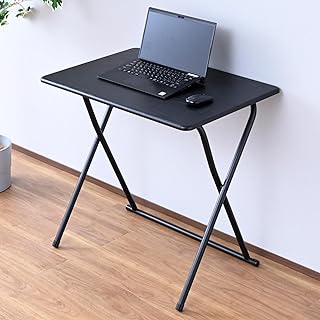


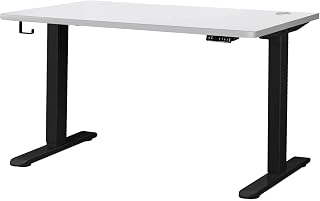


Choosing the best desk is about more than finding a large tabletop at an attractive price. The right desk should suit the room, working position, equipment, storage requirements and amount of daily use. Australian buyers also need to consider practical factors such as available floor space, assembly, delivery dimensions, materials, stability and whether a desk is intended for occasional home use or several hours of work each day.
When comparing desks, look beyond the headline features. A desk can have an attractive design but still be unsuitable if its depth is too small for a monitor and keyboard, its frame flexes under load, its height does not suit your chair, or its storage arrangement wastes valuable workspace. Conversely, a relatively simple desk can be an excellent choice when its dimensions, construction and layout match the user's needs.
A conventional computer desk is a versatile choice for study, administration, remote work and general home-office use. These desks are available in many widths and depths, with configurations ranging from minimalist tabletops to designs incorporating drawers, shelves and cable-management features.
For a conventional workstation, check whether the desktop provides enough front-to-back depth for your monitor, keyboard, mouse and other frequently used items. A wider desk may also be worthwhile when you regularly use notebooks, documents, speakers or multiple displays.
Writing desks are generally simpler and can work particularly well in bedrooms, apartments and multipurpose rooms. Their reduced footprint makes them easier to integrate into smaller spaces, although the compact design may provide less storage and equipment capacity.
An L-shaped desk can create separate zones for computing, writing, study or creative work. It can be particularly useful in a corner, but buyers should measure both walls and account for skirting boards, doors, windows and walking clearance before purchasing.
Do not assume that every L-shaped desk is reversible. If the product has a fixed orientation, confirm that the return or extension section will sit on the correct side of the room.
Height-adjustable desks allow the working surface to be raised or lowered according to the user's preferred working position. Electric models can make frequent adjustments convenient, while manual mechanisms may appeal to buyers who prioritise simplicity.
Important comparison points include the minimum and maximum height, adjustment mechanism, frame stability, desktop dimensions, control system, lifting capacity and the amount of usable space beneath the desk. A height range that looks impressive on paper is not necessarily useful if the desk cannot accommodate the user's chair and preferred working position comfortably.
Gaming desks often prioritise generous surface area, monitor placement and cable management. Some include shaped tabletops, headphone hooks, controller storage or other gaming-oriented accessories. These features can be useful, but they should not replace fundamental considerations such as stability, dimensions and construction quality.
If a gaming setup includes several monitors, desktop speakers, a microphone, a computer tower and accessories, calculate the required footprint before choosing a desk. A desk that appears spacious in product photography may offer considerably less usable area once equipment is installed.
Compact desks are useful where floor space is limited. Before buying, measure the complete installation area rather than simply measuring the wall. Allow space for the chair to move backwards, access drawers and shelves, open nearby doors and maintain a practical walkway.
Width determines how many items can be placed side by side. A narrow desk can work for a laptop and basic accessories, while larger workstations are more appropriate for multiple monitors, desktop computers, paperwork and creative equipment.
Compare the usable desktop width rather than relying solely on the overall product dimensions. Raised shelves, built-in storage and unusual frame designs can reduce the amount of genuinely usable surface.
Depth is frequently overlooked. A desk can be wide enough for a large monitor but still feel cramped if there is insufficient front-to-back space for the keyboard and other equipment.
Monitor size, viewing distance, keyboard position and the placement of accessories should all be considered together. Buyers using large monitors or multiple displays should pay particular attention to depth.
Desk height affects how the workstation interacts with your chair and working position. For fixed-height desks, compare the desk dimensions with your existing chair rather than assuming a standard height will suit everyone.
For adjustable desks, check the actual minimum and maximum height stated by the manufacturer. Consider the thickness of the desktop as well, because the height of the finished work surface is what matters when setting up the workstation.
Weight capacity is especially relevant for desks supporting multiple monitors, monitor arms, desktop computers, speakers and other heavy equipment. Do not calculate only the weight of the computer. Include monitors, mounting hardware, accessories and anything else likely to remain on the desk.
Also distinguish between a manufacturer's stated maximum load and the practical experience of using a desk at that load. Stability can depend on frame design, leg configuration, desktop construction and where the weight is positioned.
The frame provides much of the desk's structural stability. Steel frames are common in height-adjustable and workstation designs, while timber and engineered-wood structures can offer a different balance of appearance, weight and rigidity.
Inspect the leg arrangement, cross-bracing, joining points and adjustment mechanisms. A desk with a visually substantial top can still feel unstable if the supporting frame is poorly designed.
Solid timber can provide a distinctive natural appearance and may be appealing for buyers who value traditional furniture aesthetics. Different timber species vary in hardness, grain, colour and maintenance requirements.
Solid timber desks can also be heavier than flat-pack engineered-wood alternatives. Check the construction details rather than assuming that a timber appearance means the entire desk is made from solid wood.
Engineered wood products are widely used for desks because they can provide consistent panels and predictable dimensions. Surface finishes may include laminate, veneer or other decorative coverings.
When assessing an engineered-wood desk, pay attention to panel thickness, edge treatment, fastening systems and the quality of the frame. These details can matter more to long-term usability than the surface colour alone.
Particleboard is commonly found in budget-friendly furniture. It can provide a practical surface when properly finished and supported, but buyers should inspect construction quality, particularly around screw connections and areas exposed to moisture.
Glass desktops can create a contemporary appearance and may make a room feel visually lighter. However, they can show fingerprints and require more attention to cleaning. Buyers should check the manufacturer's specifications for the type of glass and the desk's rated load.
Metal desktops are less common than wood-based surfaces but can suit industrial-style interiors and specialised workstations. Metal frames, meanwhile, are widely used because they can provide strong structural support without requiring a bulky appearance.
Built-in storage can be valuable, but additional storage is not automatically an advantage. Drawers and shelves occupy physical space and can reduce legroom or limit where the desk can be positioned.
Cable management becomes increasingly important as the number of devices increases. A laptop may require only a power cable and perhaps a monitor connection, whereas a desktop workstation can involve power, display, USB, networking, audio and charging cables.
Useful features can include cable ports, channels, trays and openings positioned near the rear of the desktop. However, inspect their placement carefully. A cable opening is only useful if it aligns with the equipment and does not create an awkward cable path.
For a multi-monitor setup, consider where monitor-arm clamps, power boards and charging equipment will be positioned. Check that the desk design provides enough clearance for the mounting hardware you intend to use.
Stability is one of the most important qualities that product photographs cannot communicate particularly well. When comparing desks, look for construction details that indicate how the product is supported rather than judging it solely by appearance.
For a workstation with monitor arms, stability deserves additional attention. Monitor arms can transfer movement to the desktop, making a lightweight or poorly braced desk feel less stable than it does with a monitor sitting directly on its stand.
A desk should work as part of a complete workstation rather than being evaluated in isolation. Chair height, monitor position, keyboard placement and available legroom all influence comfort.
For seated work, the desk should allow the user to position the keyboard and mouse comfortably without forcing the shoulders upward. The underside should provide enough knee and leg clearance for the intended chair.
For standing desks, the adjustment range should cover the user's preferred seated and standing positions. Check whether the desk remains stable when raised and whether the controls are convenient to use.
Ergonomics is personal, so buyers should prioritise dimensions that fit their body and equipment rather than relying on a generic claim that a particular desk is universally ergonomic.
Home-office buyers should prioritise adequate desktop depth, stable construction, cable management and compatibility with their monitor arrangement. Storage may also be useful when the desk doubles as a paperwork area.
A study desk should provide enough open space for books, writing materials and a computer without becoming unnecessarily bulky. For smaller bedrooms, a compact desk with sensible storage can be more practical than a large executive-style workstation.
Dual-monitor users should consider both width and depth. Monitor stands can consume substantial surface area, while monitor arms require suitable attachment points and adequate desktop clearance.
Artists, designers and creators may require more uninterrupted surface area than ordinary office users. Consider the dimensions of drawing tablets, notebooks, lighting equipment, speakers and other tools used regularly.
Gaming setups can place unusual demands on a desk because several peripherals may remain connected at once. Look for sufficient depth, robust construction, sensible cable routing and enough clearance for the user's chair and legs.
Apartment buyers should measure not only the final desk location but also the route used to bring the furniture into the room. Doorways, lifts, staircases and narrow hallways can make large assembled furniture difficult to move.
There is no single desk size that is ideal for every Australian home. A practical starting point is to measure the available area and then work backwards from the equipment that must fit on the desk.
Always compare the stated product dimensions with the measurements of the room. Product photography frequently uses wide-angle perspectives that can make furniture appear smaller or larger than it will look in a typical room.
Australian shoppers should check the complete product specification before purchasing. This includes dimensions, materials, assembly requirements, electrical information where applicable, maximum load and the manufacturer's stated warranty terms.
For electric standing desks, verify that the electrical specifications are appropriate for use in Australia and follow the manufacturer's installation and operating instructions. Do not assume that an imported electrical product is automatically suitable for Australian household use.
Delivery should also be considered. Large desks can be heavy or bulky, and a product that fits the intended room may not fit through the home's entrance or internal access route in its packaged form.
Brand recognition can be a useful starting point, but it should not replace specification-level comparison. Australian shoppers may encounter products from brands such as IKEA, Desky, Artiss, Ergotron, FlexiSpot and other established furniture or workstation manufacturers.
When comparing brands, examine the particular model rather than assuming every desk from a recognised manufacturer has the same construction quality. Product ranges can include entry-level, premium and specialist designs with substantially different specifications.
IKEA is widely known for flat-pack furniture and offers desks in different sizes and styles. Desky is associated with height-adjustable desk solutions, while FlexiSpot offers a range of adjustable workstation products. Artiss covers various furniture categories and can appear in Australian desk searches. Ergotron is particularly relevant when evaluating monitor and workstation accessories that can affect desk configuration.
A useful comparison should focus on the features that matter for the intended setup instead of treating every specification as equally important.
A desk can look excellent in a product image while being unsuitable for the intended workstation. Always check dimensions, materials and functional specifications before making a decision.
Buyers often focus on width because it is easier to visualise. Depth is equally important when using large monitors or maintaining space between the screen and keyboard.
A desktop computer, several monitors, speakers, monitor arms and accessories can create a substantial combined load. Calculate the complete setup before relying on the desk's stated capacity.
Storage pedestals and support structures can reduce the available space beneath the desk. Measure the underside as carefully as the desktop.
Large furniture may have to pass through doors, hallways and stairwells before reaching the intended room. Check packaged dimensions when they are provided.
Height-adjustable desks can behave differently depending on frame construction, height and load. Stability should therefore be evaluated as part of the complete specification.
A larger desk is not always better. Excessive size can make a room feel crowded and reduce usable floor space. Choose the smallest surface that comfortably supports the intended equipment and activities.
Customer reviews can provide useful information that specifications cannot, particularly regarding assembly, stability and day-to-day practicality. However, reviews should be assessed systematically rather than relying on a single enthusiastic or negative comment.
Independent shoppers should also compare retailer reviews with manufacturer information and the detailed specification. A large number of reviews does not automatically mean that a desk is the right choice for a particular room or workstation.
Most home desks require some degree of assembly. Before buying, consider whether you have adequate space to assemble the product and whether a second person may be useful for larger or heavier components.
Follow the manufacturer's assembly instructions and use the supplied hardware correctly. Avoid overtightening components where the instructions do not call for it, particularly in engineered-wood panels.
After assembly, periodically inspect accessible fasteners and structural connections if the manufacturer recommends doing so. If a desk begins to wobble, identify the source rather than simply continuing to tighten every screw.
For everyday cleaning, follow the care instructions for the specific desktop material. Avoid using cleaning chemicals that are not recommended for the surface finish. Keep moisture away from unfinished edges and electrical components.
Electric standing desks have additional components that fixed desks do not. Keep cables sufficiently loose to accommodate the desk's full movement range and ensure that cables cannot become trapped or stretched during adjustment.
Check that the desk remains level and stable throughout its range of motion. If unusual noises, movement or electrical problems occur, stop using the desk when appropriate and consult the manufacturer's instructions or support documentation.
The desk itself is only one component of an efficient workstation. Depending on the setup, useful accessories can include monitor stands, monitor arms, cable trays, desk mats, keyboard trays, lighting and under-desk storage.
However, accessories should be considered after confirming that the desk can support them. For example, a monitor arm may require a particular desktop thickness and sufficient clearance for its clamp or mounting system.
A fixed desk is generally simpler because it has fewer moving parts and does not require a height-adjustment mechanism. It can be an excellent choice when the desk will be used at one established height.
A height-adjustable desk offers greater flexibility and can accommodate changes in working position. The trade-off is greater mechanical complexity, a potentially higher overall cost and the need to consider stability throughout the adjustment range.
The better choice depends on how the desk will actually be used. Buyers who do not expect to change working height may prefer a well-built fixed desk, while users who specifically want adjustable working positions may benefit from comparing height-adjustable models.
The cheapest desk is not necessarily the best value, and the most expensive model is not automatically the most durable. Value comes from matching construction and features to actual requirements.
For example, paying extra for height adjustment may make little sense for someone who always works seated, while spending more on a robust frame may be worthwhile for a heavy multi-monitor setup. Similarly, a large storage system can be poor value if the user already has adequate shelving elsewhere.
Compare the complete specification of each shortlisted product and consider the cost of any accessories that are required to make the workstation functional. A desk with integrated cable management or adequate storage may offer better overall value than a cheaper bare tabletop if those features would otherwise need to be purchased separately.
There is no single best desk for every Australian buyer. The most suitable choice depends on the available space, intended use, required desktop size, storage needs, equipment weight and preferred working position. Compare the specifications of shortlisted models rather than choosing solely by popularity or appearance.
The ideal size depends on the equipment and available room. A laptop workstation can use considerably less space than a multi-monitor desktop setup. Measure the equipment footprint first, then allow additional room for normal working activities such as writing, documents and accessories.
Height-adjustable desks are worth considering when adjustable working height is an important requirement. Compare their adjustment range, stability, lifting capacity, controls and desktop dimensions rather than assuming every standing desk provides the same experience.
There is no universally superior desk material. Solid timber, engineered wood, particleboard, glass and metal can all be appropriate in different situations. Construction quality, panel thickness, frame design, surface finish and intended use should be evaluated together.
The required depth depends on monitor size, viewing position and accessories. Buyers using large or multiple monitors should generally pay particular attention to depth because a wide but shallow desk can still feel cramped.
Not necessarily. A larger desktop can provide more working space, but it also occupies more floor area. The best size is the one that comfortably accommodates the required equipment while preserving useful room around the workstation.
Prioritise sufficient width and depth, stability, weight capacity, cable management and compatibility with your monitor and peripheral setup. Decorative gaming features should come after these functional requirements.
A study desk should provide adequate space for a computer, books and writing materials while fitting comfortably into the room. Storage can be useful, but make sure shelves and drawers do not compromise legroom.
It is important when the workstation carries multiple monitors, monitor arms, desktop computers or other heavy equipment. Calculate the combined load rather than considering the weight of individual items in isolation.
Drawers are useful when they solve a genuine storage problem. If you already have nearby storage, an open desk may provide more legroom and a cleaner workspace. Compare the internal drawer dimensions and placement rather than simply counting drawers.
First check that the desk has been assembled according to the manufacturer's instructions and is standing on a suitable surface. Adjustable feet, properly secured connections and correct assembly can affect stability. Persistent movement may indicate a structural limitation that tightening fasteners will not resolve.
Brand reputation can provide useful context, but the individual model matters more. Compare materials, dimensions, frame construction, load rating, warranty terms and customer feedback before deciding.
Yes. Reviews can reveal practical issues such as assembly difficulty, stability and surface durability. Use them alongside manufacturer specifications and focus on repeated comments relevant to your intended use.
The best desk for an Australian home or office is the one that fits the user's space, equipment and working habits without adding unnecessary features. Start with measurements, determine the required desktop area, assess construction and stability, then compare storage, cable management and adjustability.
For a fixed workstation, prioritise a suitable height, durable surface and stable frame. For a multi-monitor or gaming setup, give additional attention to depth, width, weight capacity and monitor-arm compatibility. For a compact room, measure the complete footprint and preserve enough clearance for comfortable chair movement.
Before making a final purchase decision, compare current specifications, customer feedback, retailer pricing and applicable warranty or return conditions for the exact model. Product availability and prices can change throughout 2026, so verify the current information at the time of purchase.
A careful specification-based comparison is more useful than choosing a desk simply because it appears in a popular list. By matching the desk's dimensions, construction and features to your actual requirements, you can narrow the field and choose a workstation that makes practical sense for your Australian home.