

♥ Wishlist
Compare 53 verified UPS Systems in Australia products in Australia. Reviews, ratings, pros, cons and buying advice updated for October 2026.






A UPS, or uninterruptible power supply, is more than a backup battery. The right unit can keep computers, networking equipment, storage devices and other sensitive electronics operating during a short outage, give you enough time to save work and shut equipment down safely, and help protect connected equipment from certain power disturbances.
For Australian buyers, the most important decision is not simply choosing the UPS with the largest VA number. A suitable model needs to match the equipment's actual power consumption, the required backup runtime, the type of electrical protection needed, the available outlets, the physical installation space and the way the UPS will be used. A small home-office computer has very different requirements from a gaming PC, NAS, workstation, communications cabinet or business server.
Models from established manufacturers such as APC, CyberPower, Eaton and Vertiv cover a broad range of residential, home-office and professional applications. However, the brand name alone does not determine whether a particular UPS is appropriate. Always compare the specifications of the exact model before purchasing because capacity, battery technology, waveform, outlet configuration, software support and replacement-battery arrangements can vary considerably within the same product family.
A standby UPS normally supplies mains power directly to connected equipment and switches to battery operation when the incoming supply falls outside the unit's acceptable range. This design can be compact and economical and is often suitable for basic home-office equipment, routers and other less demanding loads.
The important consideration is the transfer behaviour and the quality of the output when running from battery. If your equipment is particularly sensitive, uses an active power-factor-correction power supply, or has a high-performance computer power supply, do not automatically assume that the least expensive standby model will be the best match.
Line-interactive UPS systems are a common choice for Australian home offices, gaming setups and small businesses. Many use automatic voltage regulation, commonly abbreviated as AVR, to correct certain under-voltage and over-voltage conditions without relying on the battery for every fluctuation.
This can be useful where the incoming supply experiences repeated voltage variations. Reduced dependence on battery operation can also help preserve available battery runtime for an actual outage. When comparing models, check the manufacturer's stated voltage range, regulation behaviour and battery-transfer specifications rather than assuming that every line-interactive UPS performs identically.
Online double-conversion UPS systems are designed for applications where continuous power conditioning and a very controlled output are priorities. The incoming AC power is converted and regenerated before reaching the connected equipment, allowing the UPS to provide a more consistent output and avoiding the conventional transfer event associated with standby and many line-interactive designs.
This technology is commonly associated with servers, networking infrastructure, professional workstations and other equipment where power quality and continuity justify the additional cost, complexity, heat output and energy consumption. For a basic desktop computer, an online UPS can be unnecessary unless there is a specific power-quality requirement.
UPS capacity is commonly expressed using both volt-amperes, or VA, and watts, or W. These numbers describe related but different characteristics. VA represents apparent power, while watts represent real power consumed by the connected equipment.
For buying purposes, the watt rating deserves particular attention. A UPS may advertise a high VA capacity while having a comparatively lower maximum watt output. The connected load must remain within both limits.
For example, if the equipment connected to a UPS has a combined real power demand of 500 W, choosing a unit solely because its VA rating appears sufficient can lead to an unsuitable purchase if its maximum watt capacity is below the required load.
A UPS is generally easier to manage when it is not operated permanently at its maximum capacity. Additional capacity can provide greater flexibility, but buying an excessively oversized model solely for a larger VA figure can also increase cost and physical size without providing a meaningful benefit for your particular setup.
UPS runtime is frequently misunderstood. A UPS advertised with a particular capacity does not necessarily provide that many minutes of backup power to every computer or device. Runtime depends on the connected load, battery condition, battery capacity, UPS efficiency and operating conditions.
A lightly loaded UPS can often run substantially longer than the same UPS carrying a heavy load. Conversely, connecting a powerful gaming computer, monitor and multiple peripherals can reduce runtime considerably.
For a home computer, the primary objective may be to provide enough time to save documents and perform a controlled shutdown. In that situation, maximum runtime may not be necessary.
For networking equipment, a longer runtime can be more valuable because keeping a modem, router, optical network terminal or communications device operating can preserve connectivity during a short interruption. However, the equipment required for an internet connection varies between Australian households and providers, so identify exactly which devices need continuous power.
For NAS systems and servers, runtime should be considered alongside automatic shutdown functionality. A UPS that can communicate with the NAS or server can allow the equipment to shut down gracefully when battery capacity reaches a defined threshold.
UPS output waveform is an important technical specification, particularly for modern computers and other equipment using active power-factor-correction power supplies.
A pure sine wave UPS produces an output waveform that more closely resembles conventional AC power. Some UPS models use a stepped, simulated or modified waveform when operating from battery. Whether that is suitable depends on the connected equipment and its power supply design.
For a simple low-power load, waveform considerations may be less critical. For higher-end desktop computers, professional workstations, servers, certain networking equipment and equipment with sensitive power supplies, pure sine wave output can be a worthwhile specification to prioritise.
Do not select a UPS based on the waveform label alone. Confirm that the exact UPS model is compatible with the power supplies and equipment you intend to connect.
Automatic voltage regulation can be useful where the mains supply periodically experiences under-voltage or over-voltage conditions. Instead of immediately switching to battery for every moderate voltage variation, an AVR-equipped UPS may adjust the voltage within its designed operating range.
This feature should not be confused with protection against every possible electrical event. A UPS is not a substitute for appropriate household electrical installation, circuit protection, surge protection strategy or professional electrical advice where an electrical fault is suspected.
Australian households operate on nominal 230 V, 50 Hz mains electricity. When purchasing a UPS, make sure the exact model is intended for the Australian electrical environment and has the appropriate input and output configuration. Do not assume that an overseas version of a visually identical UPS has identical electrical specifications or outlet compatibility.
Outlet configuration is an easy specification to overlook. A UPS may have several outlets, but not every outlet necessarily provides battery backup. Some units separate battery-backed outlets from surge-protected-only outlets.
Before buying, check:
A power board should not be used as an excuse to ignore the UPS manufacturer's instructions. Check the manual for approved connection methods and maximum load requirements, particularly when multiple devices are being connected.
Modern UPS systems can provide much more than audible low-battery warnings. USB or network communication can allow a connected computer or server to monitor UPS status and initiate an automatic shutdown.
This is particularly useful for equipment that should not simply lose power when the battery is exhausted. A controlled shutdown can reduce the risk of unsaved work and help minimise the possibility of filesystem or data problems on computers and storage devices.
If a UPS will protect a NAS, server or workstation, software compatibility should be checked before purchase. A UPS can have excellent hardware specifications but still be inconvenient if it cannot communicate correctly with the operating system or storage platform you use.
The battery is a consumable component and should be treated differently from the UPS electronics themselves. Battery performance naturally changes over time, and runtime eventually declines even when the UPS continues to function normally.
Many conventional UPS products use sealed lead-acid batteries, while some newer designs use lithium-ion battery technology. Each approach involves different considerations relating to size, weight, service life, charging behaviour, temperature sensitivity, replacement procedures and total ownership cost.
Do not choose a UPS solely because its initial purchase price is low. If the unit is expected to remain in service for years, battery replacement and long-term ownership should form part of the comparison.
A UPS should be placed somewhere that allows adequate ventilation and safe access to the equipment. Avoid enclosing a UPS in a cramped cabinet where heat cannot escape. Heat can be particularly important for battery longevity and overall UPS operating conditions.
Keep the unit away from moisture, excessive dust and locations where it could be knocked over or exposed to liquid. A larger tower UPS can also be surprisingly heavy, particularly when fitted with lead-acid batteries, so consider the floor or shelf's load capacity before installation.
Some UPS systems use cooling fans, and fan operation can become more noticeable as the load or internal temperature changes. If the UPS will sit next to a desk, in a bedroom, studio or quiet home office, acoustic behaviour can be more important than it would be in a server cabinet.
Check the manufacturer's specifications and documentation for fan behaviour rather than assuming that a smaller UPS will always be silent.
A gaming computer can place considerably different demands on a UPS compared with a basic office PC. A powerful CPU and graphics card can produce a high combined load, especially during demanding games or rendering workloads.
For a gaming setup, calculate the actual power requirements of the PC and decide whether the monitor also needs battery backup. Speakers, charging devices and other accessories can be left on surge-protected-only outlets if the UPS design and manufacturer's instructions permit that configuration and they do not need to remain operational during an outage.
Pure sine wave output can be an important consideration for gaming PCs using modern active-PFC power supplies. Capacity is equally important: a compact UPS intended for a modest office PC may not be appropriate for a high-performance gaming system.
A home-office UPS can protect continuity for the equipment that matters most when a brief power interruption occurs. A typical setup might include a computer or laptop docking station, monitor, router and networking equipment.
Rather than automatically connecting every device, identify the equipment that genuinely benefits from uninterrupted power. Keeping a printer on battery backup, for example, may consume capacity that would be more useful for the computer and network equipment.
For people who work remotely, a UPS can be particularly useful when the objective is not hours of backup but enough time to save work, continue a call briefly or perform an orderly shutdown.
Networking equipment generally consumes far less power than a desktop computer, which can make small UPS systems attractive for keeping connectivity equipment operating through short outages.
However, an internet connection can depend on several pieces of hardware. Depending on the service and installation, this may include an NBN connection device, modem, router, Wi-Fi access point, switch or other network hardware.
Before buying a UPS for internet continuity, identify every device that must remain powered. A UPS connected only to the Wi-Fi router cannot maintain an internet connection if another required network device loses power.
A UPS can be particularly valuable for network-attached storage because an unexpected power loss can interrupt active writes and cause undesirable shutdown conditions.
When selecting a UPS for a NAS, check whether the storage system supports communication with the intended UPS. Compatible communication can allow the NAS to detect a power outage, monitor remaining battery capacity and shut down automatically when necessary.
Also consider the NAS's normal power consumption rather than relying only on its maximum rated power. If several hard drives, expansion units, switches and other network components are connected, calculate the combined load.
Business and server environments generally require more careful UPS selection than a single home computer. Important considerations include load capacity, runtime, power conditioning, redundancy requirements, management interfaces, rack or tower form factor, battery replacement and integration with shutdown software.
Online UPS systems can be appropriate for installations where power quality and continuity are particularly important, while line-interactive equipment may be sufficient for less demanding infrastructure. The correct choice depends on the equipment, electrical environment and business continuity requirements.
For a business-critical installation, a UPS should be treated as part of a broader power-protection plan rather than as the sole protection mechanism.
Tower models are common for home offices, desktop computers and small installations. They are generally designed to stand on the floor or beside equipment and can be easier to deploy when rack infrastructure is not available.
Rack-mount UPS systems are designed for server racks and communications cabinets. Before purchasing one, check rack-unit height, mounting requirements, depth, cable clearance and the physical dimensions of the cabinet.
Compact units can make sense for routers, networking equipment and small electronics where power requirements are modest. Their smaller batteries generally mean that they should not be expected to provide the same runtime or load capacity as larger systems.
UPS products commonly incorporate some form of surge or power protection, but buyers should read the exact manufacturer's specifications instead of treating every UPS as identical.
A UPS should not be considered a guarantee against every electrical event. Severe electrical faults, lightning-related events and problems within the building's electrical installation may require additional protection and professional assessment.
If surge protection is important to your setup, compare the manufacturer's documented protection features, supported electrical configuration and installation requirements. Avoid relying on vague marketing language when a specific technical specification is available.
Established UPS manufacturers can provide different product families for different use cases, so brand comparison is best performed at the model level.
The best brand for one buyer may not be the best choice for another. Compare the exact model specifications, not simply the manufacturer's reputation.
When narrowing a shortlist, create a simple comparison using the specifications that directly affect your installation.
VA is useful, but it should never be the only capacity figure you compare. Always check maximum watts as well.
Extra runtime has value only if it matches your objective. If the purpose is controlled shutdown after a short outage, paying substantially more for extended runtime may not be necessary.
A powerful desktop computer can behave differently from a low-power office system. Check the power supply characteristics and UPS waveform compatibility before purchasing.
Do not fill every outlet simply because outlets are available. Calculate the combined load and reserve capacity for the equipment that actually needs battery protection.
A UPS is not maintenance-free forever. Batteries age, and replacement availability should be considered before committing to a particular model.
Australian buyers should verify the exact electrical specifications, plug configuration and intended market of the UPS. Product names can be similar across countries while electrical configurations differ.
Measure the intended installation location before ordering. UPS units can be considerably deeper, heavier or taller than expected.
Some UPS products distinguish between battery-backed outlets and surge-protected-only outlets. Read the outlet diagram and manual carefully.
Suppose a home-office system consists of a desktop computer, one monitor, a router and a small networking device. Start by estimating the watt consumption of each component and add those figures together.
After calculating the combined load, compare it with the UPS's maximum watt output and VA capacity. Then examine the manufacturer's runtime information at a comparable load percentage. This approach is more useful than choosing a UPS based solely on the number printed on the front of the product.
Most UPS systems provide audible indications when mains power fails, the battery becomes low or an operating condition changes. The exact sounds and alarm behaviour vary by model.
If the UPS will be located in a bedroom, study or shared living space, investigate whether audible alarms can be configured or silenced according to the manufacturer's instructions. Alarm behaviour can be particularly relevant during overnight outages.
Routine UPS maintenance is relatively straightforward, but neglecting the battery can reduce the usefulness of the system when an outage eventually occurs.
A UPS that has been sitting unused for a long period should not simply be assumed to have a healthy battery. Monitoring and maintenance are important because the value of backup equipment is ultimately determined by whether it works when the power fails.
Australia's wide range of climates means installation conditions can vary considerably. A UPS installed in a climate-controlled office has different environmental conditions from one operating in a hot, poorly ventilated utility area.
Always consult the manufacturer's specified operating temperature and environmental limits. Avoid placing the unit somewhere exposed to excessive heat or direct environmental moisture. For installations where temperature is difficult to control, environmental specifications deserve additional attention during the buying process.
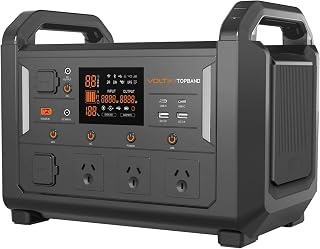
Portable power stations and UPS systems can appear similar because both contain batteries and provide backup electricity, but they are designed around different priorities.
A conventional UPS is designed specifically around continuity and power protection for connected equipment. Many models provide automatic transfer to battery, monitoring and computer shutdown communication.
A portable power station may prioritise larger stored energy capacity, portability and multiple forms of output. Some products include UPS functionality, while others should not be treated as automatic-transfer UPS systems.
If the main objective is protecting a desktop computer or server from a sudden power interruption, confirm that a portable power station explicitly supports the required UPS operating mode and transfer characteristics rather than assuming that its battery capacity makes it equivalent to a dedicated UPS.
A UPS and generator solve different parts of a power-continuity problem. A UPS can provide immediate battery-backed power during an interruption, while a generator can potentially provide electricity for a much longer period when properly installed and operated.
For critical infrastructure, the two technologies can complement one another. The UPS bridges the immediate interruption while a suitable generator system provides longer-duration power where required.
For ordinary home-office use, a generator is generally a much more substantial solution than required for the simple objective of saving work and shutting a computer down safely. Evaluate the actual duration and consequences of outages before investing in a more complex backup-power system.
Buying some spare capacity can be sensible if you expect to add equipment. However, excessive oversizing can increase the purchase price and physical footprint without improving the experience proportionally.
A practical approach is to estimate the equipment you will use during the UPS's expected service period and leave a reasonable margin. If you anticipate adding a second monitor, external storage or networking equipment, include those loads in your planning.
Prioritise adequate watt capacity, reliable battery backup, sensible runtime, suitable Australian outlets and straightforward operation. A line-interactive model can be an attractive middle ground where voltage regulation and backup capability are desired without the complexity of an online system.
Start with actual system power consumption, then consider pure sine wave output, adequate watt capacity and sufficient battery-backed outlets. Include the monitor if uninterrupted display and controlled shutdown are important.
Prioritise UPS-to-NAS communication, automatic shutdown support, suitable runtime and a battery that can be replaced when necessary. Avoid spending the entire capacity budget on devices that do not need to remain powered.
Focus on low-load efficiency, compact installation, sufficient battery-backed outlets and the runtime required to keep essential communications equipment operational. Identify all devices required for internet access rather than protecting only the router.
Consider online versus line-interactive topology, output waveform, management capability, automatic shutdown, rack or tower form factor, runtime, battery replacement and the consequences of an outage. Server environments may justify professional installation and a more comprehensive power strategy.
An online double-conversion UPS is most compelling when the quality and continuity of the power supply are important enough to justify the additional investment. This can include critical IT equipment, sensitive infrastructure and environments where voltage or frequency disturbances are a recurring concern.
For an ordinary desktop computer that only needs enough time to shut down safely during an outage, a properly sized line-interactive UPS may be a more proportionate solution.
The decision should therefore be based on the consequences of power problems rather than simply selecting the most advanced technology available.
Runtime tables normally provide estimated battery duration at different load levels. Compare your expected load with the manufacturer's test conditions rather than taking one headline runtime figure as universal.
A runtime number may also change with battery age, temperature, battery condition and UPS operating mode. Published figures are useful for comparing models, but they should be treated as estimates rather than a guaranteed duration for every installation.
The best-value UPS is not necessarily the cheapest model and is not necessarily the largest model. Value comes from matching the product's capabilities to the equipment and the consequences of a power interruption.
For a home office, spending more on unnecessary server-grade features may provide little practical benefit. Conversely, choosing a low-capacity UPS for a powerful workstation can result in insufficient load capacity and disappointing runtime.
Compare the complete specification sheet, not just the headline VA rating. Also consider the long-term ownership factors, especially battery replacement, software compatibility, physical installation and the availability of documentation for the exact model.
Before committing to a particular product, verify the exact model number rather than relying on a retailer's abbreviated product name. Check the manufacturer's technical documentation and compare the specification against your equipment.
There is no single best UPS for every Australian household. The appropriate model depends on the equipment being protected, total watt consumption, desired runtime, waveform requirements, available space and budget. A correctly sized UPS from an established manufacturer such as APC, CyberPower or Eaton can be suitable when its specifications match the installation.
Determine the combined power demand of the equipment that needs battery backup and compare that figure with the UPS's maximum watt rating. Then check the VA capacity and leave sensible additional capacity rather than operating continuously at the maximum.
It depends on the gaming PC's actual power consumption and the UPS's watt rating. A 1000VA label alone does not establish whether the UPS is suitable. Check the exact model's maximum watt output and compare it with the PC, monitor and any other equipment that will be connected.
It can be important for certain modern power supplies and sensitive equipment. Pure sine wave output is particularly worth considering for higher-performance computers, servers and other equipment where battery-mode waveform compatibility matters.
Yes, a suitably sized UPS can keep compatible networking equipment powered during an outage. However, maintaining internet access may require several devices to remain powered, so identify the complete network path before deciding which equipment to connect.
Yes. A UPS can be particularly useful for NAS equipment because it can provide time for a controlled shutdown. Where supported, connect the NAS to the UPS's communication interface and configure the NAS according to both manufacturers' instructions.
Battery longevity varies according to battery technology, operating temperature, usage pattern, charging conditions and other factors. Treat the battery as a consumable component and follow the manufacturer's maintenance and replacement guidance rather than assuming it will retain its original runtime indefinitely.
All four brands have UPS products covering different applications, but brand-level selection is less useful than comparing the exact models. Look at watt capacity, VA rating, topology, waveform, runtime, battery replacement, management features, outlet configuration and physical requirements.
No. A higher VA rating does not automatically make a UPS better for your equipment. Maximum watt output, battery capacity, waveform, topology, runtime, management features and compatibility can be equally or more important depending on the application.
If you need the display to remain operational during an outage or want the computer and monitor to shut down together, connecting the monitor to a battery-backed outlet can make sense when the UPS has sufficient capacity. Otherwise, prioritise the equipment that is essential to maintaining your work or protecting data.
Potentially, but compatibility depends on the particular solar, inverter and UPS configuration. Do not assume that every UPS will behave correctly with every inverter or backup-power system. If the installation involves solar batteries, an inverter, a generator or other backup-power equipment, review the relevant manufacturer's compatibility requirements and obtain professional electrical advice where appropriate.
The meaning of an audible alarm depends on the model. It may indicate a mains outage, low battery, overload, battery fault or another condition. Check the UPS display, indicator lights and manufacturer documentation rather than disconnecting equipment without first identifying the cause.
For many home-office users, a UPS can be worthwhile when a power interruption could cause lost work, interrupt an important online meeting or result in an unsafe computer shutdown. The strongest case is usually for protecting essential equipment rather than every electrical device in the room.
The strongest UPS choice is the one that fits the equipment, electrical environment and continuity objective. Start with the real watt load, verify the UPS's maximum watt and VA ratings, determine the runtime you actually require and then compare waveform, topology, outlets, communication features, battery replacement and installation requirements.
For Australian buyers in 2026, it is also important to verify the exact model's current specifications before purchase because product configurations can differ between markets and product generations. Compare specifications from the manufacturer with the information provided by reputable Australian retailers, and check current customer feedback for the specific model rather than relying only on reviews of an entire product family.
Whether the priority is protecting a home computer, gaming PC, work-from-home setup, router, NAS or business server, a carefully matched UPS can provide a much more useful form of power continuity than a purchase based solely on headline capacity. Use the technical criteria above to compare the shortlisted products and select the model that best matches your actual load, runtime and reliability requirements.