

♥ Wishlist
Compare 56 verified Laptops and Notebooks in Australia products in Australia. Reviews, ratings, pros, cons and buying advice updated for October 2026.


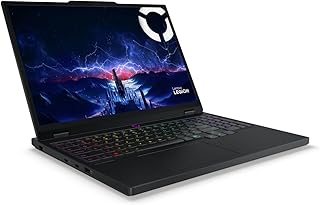


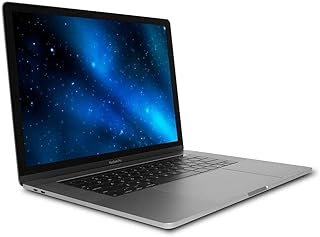

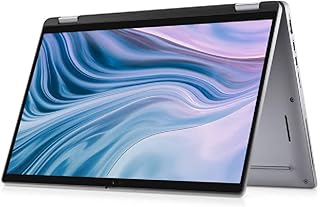


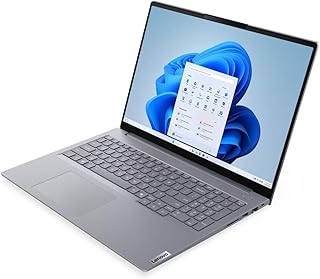


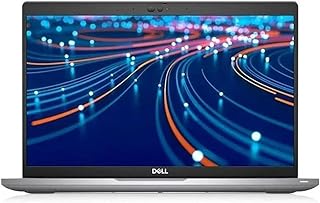


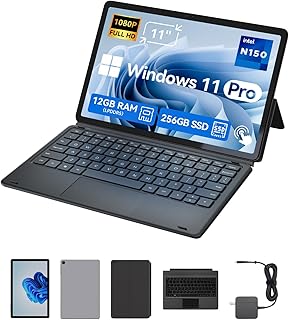


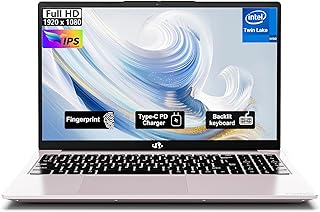

Choosing a laptop in Australia is less about finding the model with the biggest specification sheet and more about matching the hardware to the way you actually work, study, create, travel and relax. A compact notebook that is excellent for university can be a poor choice for video editing, while a powerful gaming laptop may be unnecessary for everyday office work and much less convenient to carry.
For an informed purchase, compare the processor, memory, storage, display, battery capacity, operating system, ports, keyboard, weight, build quality, upgradeability and warranty terms together rather than judging a laptop by one specification. Also consider Australian conditions, including portability for commuting, long periods away from a power outlet, video calls, home-office connectivity and the availability of suitable charging accessories.
The processor has a major influence on responsiveness, multitasking capability, application performance and battery efficiency. Current laptop ranges include processors from Intel and AMD as well as Apple silicon in MacBook models. The right choice depends on software compatibility and workload rather than the processor brand alone.
For web browsing, documents, email, streaming and general study, a modern mainstream processor is usually sufficient. More demanding workloads such as software development, engineering applications, large spreadsheets, photo editing and content creation benefit from stronger multi-core performance. Gaming laptops should also be evaluated for the processor's ability to keep up with the dedicated graphics processor.
When comparing processors, look beyond the advertised model name. Generation, architecture, core configuration, power limits and the laptop's cooling system can all affect real-world performance.
Memory affects how comfortably a laptop handles multiple applications and browser tabs simultaneously. For basic everyday computing, 8GB may be adequate on some systems, but 16GB is a more versatile target for a new laptop intended to remain useful for several years.
Users working with large creative projects, virtual machines, professional applications or heavy multitasking may benefit from 32GB or more. Before buying, check whether the memory is upgradeable or permanently integrated. A laptop with soldered memory can make an apparently attractive specification less flexible over its useful life.
Solid-state storage provides fast boot times and responsive application loading, but capacity matters just as much as speed. A 256GB SSD can become restrictive after installing applications, storing photographs and downloading large files. A 512GB drive is a more practical starting point for many users, while 1TB or more can be appropriate for games, creative projects and substantial local media libraries.
Also check whether the SSD can be replaced or expanded. Some thin notebooks provide no practical internal storage upgrade path, making the original capacity particularly important.
A laptop's display affects almost every interaction with the computer. Screen size, resolution, brightness, refresh rate, colour reproduction, contrast, viewing angles and surface finish should all be considered.
Compact laptops are attractive for students, commuters and frequent travellers because they occupy less space and are generally easier to carry. A 14-inch model can provide a useful balance between portability and working area, particularly when paired with a high-resolution display and narrow bezels.
Larger laptops provide more screen space for spreadsheets, editing timelines, programming environments and multitasking. They can also provide room for stronger cooling systems and larger batteries. The trade-off is increased size and weight, which may matter if the computer is carried every day.
Full HD remains useful for many laptops, while higher-resolution panels can provide sharper text and additional workspace. A high refresh rate is particularly relevant to gaming and can make supported interfaces feel smoother. For photography and video work, colour accuracy and gamut may be more important than refresh rate.
Do not assume that two displays with the same resolution provide the same experience. Brightness, contrast, colour coverage and calibration can vary substantially between models.
Battery specifications should be interpreted alongside processor efficiency, display characteristics and the laptop's intended workload. Manufacturer battery claims are normally based on particular test conditions and should not be treated as a guaranteed runtime for every user.
For Australian students and professionals who regularly work away from a desk, battery endurance can be more valuable than a small performance advantage. USB-C charging can also improve convenience because compatible chargers and power banks may support several devices.
Check whether the included charger provides sufficient power for the laptop and whether the computer supports charging through all USB-C ports or only a designated port. Gaming laptops with dedicated graphics may require substantially more powerful adapters than lightweight productivity notebooks.
The operating system is one of the most important purchasing decisions because it affects application compatibility, accessories and the way you interact with the computer.
Students should prioritise portability, battery endurance, keyboard comfort, webcam quality and reliable everyday performance. A 13- or 14-inch notebook with 16GB of memory and an SSD can be a strong general-purpose configuration, although course-specific requirements should come first.
Engineering, architecture, design, computer science and media students should check the software requirements of their degree before choosing an ultralight model. Some courses require Windows-specific applications or significantly stronger graphics performance.
For office productivity, consider a comfortable keyboard, a good webcam and microphone, reliable Wi-Fi, sufficient USB ports and a display that is comfortable for long sessions. A numerical keypad may be useful for accounting and spreadsheet-heavy work, while a lighter 14-inch model may be preferable for hybrid workers.
Photo editors, video editors, designers and musicians should pay close attention to processor performance, RAM, storage capacity, display colour characteristics and connectivity. Dedicated graphics can be important for GPU-accelerated applications, while a high-quality display is particularly valuable when evaluating visual work.
Gaming laptops should be evaluated as complete systems rather than by GPU model alone. Cooling performance, sustained power limits, screen refresh rate, resolution, RAM, SSD capacity and upgrade options can significantly affect the overall experience.
A powerful gaming notebook is often heavier and louder than an everyday productivity laptop. Buyers who intend to use the computer for both gaming and university or office work should consider whether that trade-off fits their routine.
Frequent travellers should consider total carrying weight, charger size, battery endurance, durability and port selection. A laptop that is only slightly lighter on paper may be much more convenient if its power adapter is also compact.
For air travel and commuting, a sturdy chassis, comfortable keyboard and good standby behaviour can be more valuable than maximum benchmark performance.
Integrated graphics share system resources and are commonly sufficient for office applications, streaming, general productivity and many less-demanding creative workloads. Dedicated graphics processors provide substantially more graphics capability and are important for many modern games and GPU-intensive professional applications.
However, dedicated graphics usually increase power consumption, heat generation, chassis requirements and cost. If you mainly browse the web, write documents and attend video meetings, paying extra for a high-end GPU may provide little practical benefit.
Specifications cannot fully describe how comfortable a laptop is to use for several hours each day. Keyboard travel, key spacing, layout, backlighting and palm-rest design matter for writers, programmers and office workers.
Trackpad quality is equally important on portable computers. Look for a responsive surface, accurate gesture recognition and sufficient physical or haptic feedback.
Video conferencing has also made the webcam an important buying consideration. Check camera resolution, microphone configuration, privacy features and the position of the camera. A good external webcam can be added later, but built-in quality is still valuable for mobile use.
Thin laptops often reduce the number of physical ports to save space. Before purchasing, identify every accessory you expect to connect, including external displays, USB storage, wired networking, headphones, cameras and charging devices.
Aluminium and other metal constructions can provide a premium feel, while high-quality reinforced plastics can keep weight and cost down. Material alone does not determine durability. Hinge construction, chassis rigidity, keyboard deck flex, cooling design and serviceability are also relevant.
For a laptop expected to travel regularly, examine the design around the hinges, display lid and charging port. A machine used mainly at home can place greater emphasis on ergonomics, screen size and connectivity.
One of the most overlooked buying considerations is whether the laptop can be upgraded or repaired. Some models permit memory or SSD upgrades, while others use soldered components and provide limited internal expansion.
Check the manufacturer's technical documentation for supported storage configurations, maximum memory, accessible components and battery replacement procedures. If the laptop cannot be upgraded, selecting an appropriate RAM and storage configuration at purchase becomes more important.
Long-term value also depends on software support, operating-system compatibility, physical durability and the availability of replacement components. A slightly more expensive laptop with appropriate specifications can be a better long-term purchase than an underpowered model that needs replacement sooner.
Brand reputation can help narrow a large market, but it should never replace model-level comparison. Lenovo, Dell, HP, ASUS, Acer, Apple, Microsoft and Samsung all offer laptops aimed at different users and price segments. Within every brand, there can be substantial differences between entry-level, mainstream, premium, business and gaming ranges.
Apple MacBook models are particularly relevant for buyers seeking macOS, while Lenovo ThinkPad, Dell Latitude and HP business-oriented ranges may appeal to professional users who prioritise business features and manageability. ASUS ROG, TUF Gaming, Acer Nitro and other gaming-focused ranges target users with different performance and cooling requirements.
When comparing brands, evaluate the exact model configuration available in Australia rather than assuming that every laptop within a brand has the same build quality, upgradeability or support characteristics.
A low purchase price can be attractive, but insufficient RAM, limited storage or a weak processor can make the computer frustrating to use. Consider the total ownership period and the tasks the laptop must perform.
A processor label does not tell the whole story. Two laptops using processors from the same family can perform differently because of cooling, power limits, memory configuration and thermal design.
Operating-system files, applications, photographs, games and downloaded media quickly consume available storage. External storage can help, but internal capacity remains important for convenience and performance.
A fast processor cannot compensate for a dim, uncomfortable or poorly suited display. Anyone who spends several hours each day on a laptop should treat screen quality as a core buying criterion.
Compare the size and weight of the power adapter, especially for a travel laptop. A highly portable notebook can lose some of its practical advantage if it requires a large proprietary charger.
USB-C describes the connector shape rather than guaranteeing identical capabilities. Charging, display output, data speed and other functions depend on the specific port implementation. Verify the specifications before purchasing accessories.
When two laptops have similar prices and processor families, compare the details that are easiest to overlook. Start with RAM and SSD capacity, then examine the display, battery, ports, weight, keyboard, wireless connectivity and upgradeability.
Next, consider the actual workload. A creator may prefer a colour-accurate display and stronger GPU, while a student may value lower weight and longer battery endurance. A home-office user may benefit more from a comfortable keyboard, webcam and multiple display outputs.
Finally, check the exact model number and configuration. Retail listings can use similar product names for machines with different RAM, storage, display or processor configurations.
Customer ratings can reveal recurring usability concerns, but ratings should be interpreted carefully. Look for patterns in verified customer feedback concerning battery behaviour, keyboard quality, display characteristics, fan noise, build quality, software issues and long-term reliability.
Professional reviews can provide useful information about performance, thermals, measured display characteristics and battery testing. Neither professional reviews nor customer ratings should be considered a substitute for checking the exact Australian configuration you intend to purchase.
Before ordering online, confirm that the listing corresponds to the Australian market and check the exact model identifier. Compare the included charger, keyboard layout, operating system, warranty arrangements and stated specifications.
Prices can change frequently, particularly around major Australian retail promotions. Rather than judging a laptop solely by its current discount, compare its specifications and normal market positioning with competing models.
When comparing listings from trusted retailers, check the final delivered cost, applicable Australian consumer protections, seller identity and return conditions. Keep purchase documentation in case you need to resolve a warranty or consumer-rights issue.
Warranty terms vary by manufacturer and product. Read the Australian warranty documentation for the specific laptop and understand what is covered, how support is provided and which exclusions apply.
Australian consumers may also have rights under Australian Consumer Law that operate independently of a manufacturer's voluntary warranty. If a product does not meet applicable consumer guarantees, the appropriate remedy can depend on the circumstances and the nature of the problem.
For expensive laptops, retain invoices and relevant order documentation. If a problem develops, documenting the issue and communicating clearly with the retailer or manufacturer can make the support process easier.
For many Australian buyers seeking a versatile everyday computer in 2026, a sensible configuration often includes a modern mainstream processor, 16GB of RAM, at least a 512GB SSD, a quality 13- to 15-inch display and USB-C connectivity. This is not a universal specification: demanding users may need substantially more graphics performance, memory or storage, while basic users may have different priorities.
The most important principle is to avoid paying for performance you will never use while also avoiding specifications that are already too limited for your expected ownership period. A balanced configuration generally provides better practical value than an extreme specification in one area.
There is no single best laptop for every Australian buyer. The right choice depends on budget, operating-system preference, portability, workload, battery requirements and software compatibility. Compare the complete specification and intended use rather than selecting solely by brand or processor.
For many everyday users, students and office workers, 16GB provides a useful balance of multitasking capability and longevity. Users running demanding professional applications, virtual machines or large creative projects may benefit from 32GB or more.
512GB is a practical capacity for many users, but requirements vary. Large game libraries, video projects and extensive photo collections can require substantially more storage. Check how much space your current files and applications occupy before deciding.
MacBooks can be excellent student laptops when the student's required applications are compatible with macOS. Students in courses that depend on Windows-only or specialist software should verify compatibility before purchasing.
A gaming laptop can handle everyday work very well, but it may be heavier, louder and less convenient to carry than a productivity-focused notebook. If gaming is not an important requirement, a lighter laptop may provide better overall practicality.
Useful life varies according to build quality, workload, maintenance, software requirements and the user's expectations. Selecting sufficient RAM and storage at purchase, maintaining the system and choosing hardware appropriate for future workloads can improve long-term practicality.
A 14-inch display is a strong compromise for many users because it balances working area and portability. Smaller displays suit frequent travellers, while 15- and 16-inch models can be preferable for spreadsheets, editing and gaming where screen space matters more than compactness.
Verify the exact model number, processor, RAM, SSD, display, operating system, keyboard layout, included charger, ports and Australian warranty arrangements. Compare the complete configuration rather than assuming that similarly named listings contain identical hardware.
Yes, particularly when many reviews identify the same recurring issue or strength. Focus on detailed, verified feedback and look for patterns involving battery performance, build quality, thermals, display quality, keyboard comfort and software behaviour.
Choose according to your workload. Travellers and students may benefit more from efficient hardware and long battery endurance, whereas creators, developers and gamers may reasonably prioritise sustained performance. A balanced configuration is usually preferable when your needs span several categories.
Start by identifying your three most important requirements. For example, a student might choose portability, battery life and keyboard comfort, while a creator might choose display quality, GPU performance and storage. Eliminate laptops that fail any essential requirement before comparing secondary features.
Then compare the exact Australian configurations from reputable retailers and manufacturers. Read verified customer feedback alongside independent technical reviews, check current specifications and confirm warranty and consumer-protection details. This approach helps distinguish genuinely suitable laptops from models that simply appear attractive because of a prominent processor, large discount or impressive headline specification.
For an affiliate buying guide, the strongest recommendation is not necessarily the most expensive or most powerful laptop. It is the model whose combination of performance, portability, display quality, battery behaviour, connectivity, build quality and price best matches the intended user.
As you compare laptop options in August 2026, focus on the complete ownership experience rather than chasing specifications in isolation. A modern processor, adequate RAM and fast SSD provide a strong foundation, but the best purchase also needs a display you can comfortably use, a keyboard that suits your work, enough ports for your accessories and battery performance that matches your daily routine.
Before making a final purchase, compare current configurations, read the latest verified customer feedback available for the exact model, review manufacturer documentation and check today's pricing with trusted Australian retailers. Specifications and availability can change, so the final decision should always be based on the configuration currently being offered.