

♥ Wishlist









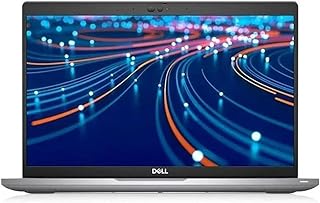


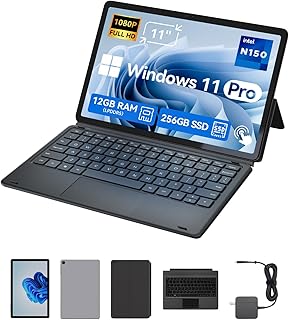


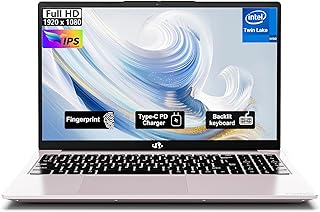
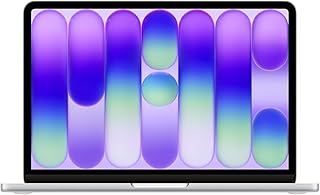
Choosing a laptop or notebook starts with understanding how you plan to use it. A compact notebook may suit students and frequent travellers, while a larger laptop can provide more screen space for office work, creative projects or entertainment. Gaming and demanding professional workloads can require substantially more processing and graphics performance. By comparing the key specifications, Australian shoppers can narrow down the options before choosing a suitable model.
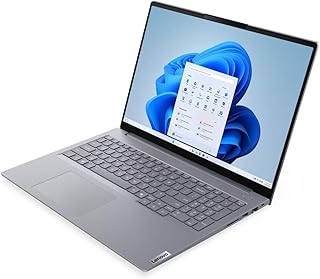
For web browsing, email, online shopping, documents, video calls and general home use, you may not need the highest-performance hardware. Look for a modern processor, sufficient RAM and solid-state storage for responsive everyday operation. A 13-inch or 14-inch notebook can also be convenient when portability is important, while a 15-inch or 16-inch screen can make multitasking more comfortable.
The processor has a major influence on how a laptop handles applications and multitasking. Current laptop ranges include processors from Intel, AMD and Apple, with different performance levels designed for different workloads. Basic computing can work well with entry-level hardware, while software development, content creation, demanding productivity applications and gaming can benefit from higher-performance processors and dedicated graphics.
It is also useful to consider the balance between processor performance, battery life, thermals and portability. A high-performance laptop can deliver more computing capability, but a lightweight model may be more practical if you regularly carry it between home, university, work or other locations.
RAM affects how comfortably a laptop can manage multiple applications and browser tabs at the same time. Higher memory capacities can be useful for heavier multitasking, professional software and creative workloads. Storage is equally important because it determines how much space is available for documents, applications, photos, videos and other files.
Many modern laptops use SSD storage because it can provide fast system startup and application loading. Common capacities range from smaller storage options for basic use to larger SSDs for users who keep substantial files locally. If you regularly work with large media libraries or software installations, check the available storage capacity before buying.
Laptop displays are available in several sizes and resolutions. Smaller screens can help reduce overall weight and improve portability, whereas larger displays provide more workspace. Full HD remains useful for everyday computing, while higher-resolution displays can offer additional detail for compatible content and professional workflows.
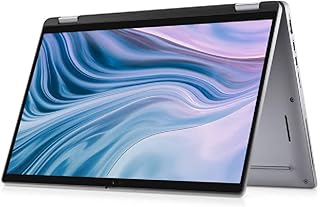
Touchscreen models can add flexibility for navigation, drawing and compatible applications. Some 2-in-1 notebooks use a convertible hinge that allows the device to be used in different positions. These models can be useful for users who want a combination of conventional laptop functionality and tablet-style interaction.
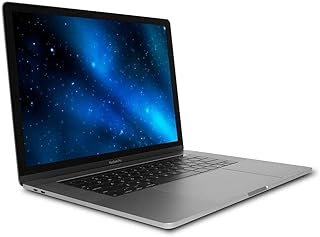
The operating system affects software compatibility, interface and the overall computing experience. Windows laptops cover a broad range of hardware and applications. Apple MacBooks use macOS and integrate closely with other Apple devices. Chromebooks use ChromeOS and are designed around web-based services and compatible applications.
Before choosing an operating system, consider the applications you already use, your preferred workflow and whether your accessories and services are compatible. Students and businesses should also check any software requirements specified by their school, university or workplace.
Battery performance matters when you work away from a power outlet. If you commute, travel or move between meetings and classes, weight, dimensions and battery capacity can be just as important as raw performance. A compact laptop can be easier to carry, while a larger performance-oriented model may prioritise processing capability and cooling over minimum weight.
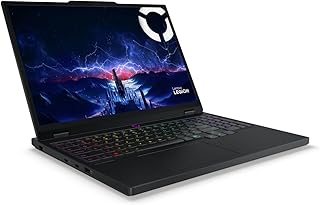
Gaming laptops typically combine stronger processors, dedicated graphics, faster displays and improved cooling with a larger chassis. When comparing gaming models, consider the graphics processor, display refresh rate, RAM, SSD capacity and cooling design rather than focusing on one specification alone. These features can also benefit users working with video editing, 3D applications and other demanding workloads.
A2Z Deal provides a product directory for comparing laptops and notebooks available to Australian shoppers. The category includes models from brands such as ASUS, Lenovo, Dell, Apple, Microsoft, Acer and HP, with options spanning everyday computing, business use, gaming, convertible designs and renewed devices. Product specifications can vary significantly, so review the processor, memory, storage, display, operating system and intended use before making a purchase decision.
When comparing prices, remember that the lowest purchase price is not necessarily the only factor to consider. A laptop with adequate RAM, useful storage and the right processor can provide better suitability for your actual workload. Also check whether a product is new or renewed and review the listed specifications carefully. This approach can help Australian shoppers find a portable computer that fits their requirements and budget.
Find laptops and notebooks for work, study, entertainment, travel and everyday computing. This category brings together a wide range of portable computers, including Windows laptops, MacBooks, Chromebooks, business notebooks, 2-in-1 models and gaming laptops. Compare screen sizes, processors, RAM, storage, operating systems and other important specifications to find a model that matches the way you use your computer.