

♥ Wishlist


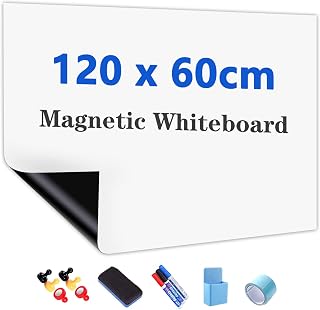


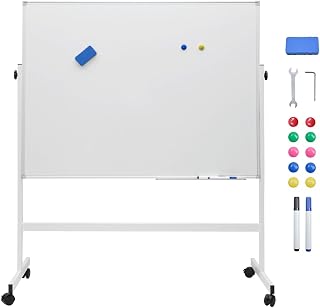


Whiteboards and smartboards provide practical ways to display information, organise ideas and make presentations more engaging. A traditional whiteboard offers a simple surface for writing with dry-erase markers, while a smartboard can add interactive functionality for digital presentations, lessons and collaborative work. Choosing between them depends on how you plan to use the board, the available space and the features your environment requires.
For Australian homes, offices and educational spaces, a whiteboard can be useful for planning, brainstorming, reminders, schedules and project organisation. A wall-mounted board can provide a permanent writing area without taking up valuable floor space. Mobile or freestanding designs can offer greater flexibility when you need to move the board between rooms. Consider the size of the writing area and the available wall or floor space before choosing a suitable option.
Whiteboards come in different sizes and configurations to suit a range of applications. Smaller boards work well beside desks, in study areas or for personal planning. Medium-sized boards can support team discussions and classroom activities, while larger boards provide more room for diagrams, timetables and detailed project work. Think about how many people will use the board at once and how far away the content needs to remain visible.
The writing surface is another important consideration. A smooth, easy-clean surface helps markers glide across the board and makes regular erasing more convenient. If the board will receive frequent use, look for a construction designed to withstand repeated writing and cleaning. A sturdy frame can also help maintain stability and provide a finished appearance in professional or educational settings.
Smartboards and interactive boards are designed for users who want to combine writing or touch interaction with digital content. They can support presentations, classroom activities, demonstrations and collaborative sessions where participants need to interact with information on screen. Depending on the particular product, features may include touch interaction, digital annotation and compatibility with connected devices or presentation equipment.
When considering an interactive board, think about the environment in which it will be installed. Screen size, viewing distance, connectivity, mounting requirements and available workspace can all influence usability. A board used in a classroom may have different requirements from one installed in a corporate meeting room or home office.
Whiteboards can support lessons by giving teachers a clear area for notes, diagrams, examples and activities. Interactive boards can extend this approach by allowing digital material to become part of the presentation. For schools and training environments, consider visibility, board size, ease of cleaning and how comfortably students can view the content.
In offices, whiteboards are useful for brainstorming, task planning, workflow discussions and meeting notes. A larger board can give teams enough room to map out ideas, while a mobile design can be repositioned as workplace requirements change. Smartboards can also help teams work with digital presentations and interactive content during meetings.
A compact whiteboard can be a useful addition to a study area, home office or family workspace. Use it for weekly schedules, reminders, revision notes, shopping lists or project planning. Choosing a board that fits naturally into the available space can make it easier to use consistently without overcrowding the room.
Start with the intended purpose, then consider the board dimensions, installation method and frequency of use. For traditional whiteboards, check that the surface is suitable for dry-erase markers and easy to maintain. For smartboards, consider the interactive features, connectivity and compatibility requirements relevant to your setup.
Placement also matters. Measure the wall or floor area before ordering and allow enough surrounding space for comfortable use. If several people will work around the board, choose a size that provides sufficient writing or viewing space. For wall-mounted products, ensure the intended mounting location can safely support the equipment and follow the manufacturer's installation guidance.
The right board can become a useful everyday tool rather than simply another fixture. Use a whiteboard to break complex projects into visible steps, organise priorities or capture ideas during discussions. Interactive boards can bring digital material into the same workspace, helping presenters combine visual information with participation.
Australian shoppers can compare whiteboards and smartboards according to their intended environment, available space and preferred working style. Whether you need a straightforward writing surface or an interactive presentation solution, focus on practical features that match how the board will actually be used.
Before purchasing, consider the board's dimensions, surface, mounting arrangement, maintenance requirements and any accessories or technology needed for operation. A thoughtful choice can provide a reliable space for communication, learning, planning and collaboration across many everyday settings.
Make writing, presenting and sharing ideas easier with practical whiteboards and smartboards for Australian classrooms, offices, meeting rooms and home workspaces. Whether you need a simple dry-erase surface for everyday notes or a modern interactive display for presentations and collaborative learning, this category brings together solutions for different working and teaching environments.