

♥ Wishlist


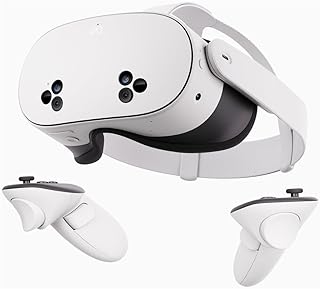


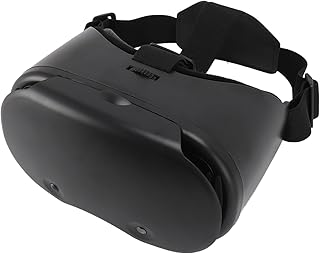

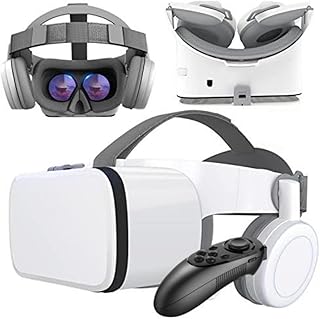


Virtual reality headsets create an immersive digital environment by placing a screen close to your eyes and tracking aspects of your movement. They can transform compatible games, videos, simulations and interactive applications into experiences that feel more engaging than viewing content on a conventional screen. For Australian shoppers, the right choice depends on your intended use, compatible hardware, comfort preferences and the features you value most.
VR headsets can suit a wide range of activities. Gamers may want responsive tracking, clear visuals and comfortable controls for longer sessions. Entertainment users may prioritise display quality and ease of setup. Others may explore virtual reality for exercise, education, creative applications or interactive experiences. Start by identifying what you expect to do with your headset, then compare the features that support those activities.
Standalone headsets contain the hardware needed to run compatible VR experiences without requiring a separate computer for basic operation. This design can make setup more convenient and gives users greater freedom of movement. When considering a standalone model, check its storage capacity, battery characteristics, tracking capabilities, display specifications and supported software ecosystem.
Some VR headsets work with a compatible computer to access demanding applications and PC-based virtual reality content. These systems can be suitable for users who already have capable gaming or creative computers. Before buying, check the required computer specifications, connection type and software compatibility. A suitable headset should work with the hardware you intend to use rather than simply offering attractive specifications on paper.
Gaming remains a major reason people explore virtual reality. A suitable headset can provide a wider sense of immersion by responding to head movement and, with compatible controllers, hand movements. For films, videos and other entertainment, display clarity and comfortable viewing can become more important. Consider the applications you intend to use and confirm that the headset supports them before making a purchase.
Display specifications can influence how sharp and comfortable a virtual environment appears. Resolution, refresh rate, field of view and lens design can all affect the viewing experience. However, a high specification in one area does not automatically make a headset suitable for every user. Look at the overall combination of features and consider how you expect to use the device.
Tracking is another important consideration. Headsets may use different approaches to monitor head and controller movement. Accurate tracking can help virtual interactions feel more natural, particularly during active gaming. Controllers, hand-tracking support and other input options may also affect which applications you can comfortably use.
Battery life matters for wireless devices, especially if you plan to use a headset for extended sessions. Storage can also influence convenience when installing multiple applications. If the headset supports expandable or external storage, check the manufacturer's compatibility requirements before purchasing accessories.
Comfort should be part of your buying decision because a headset sits directly on your face. Look for an adjustable head strap, suitable weight distribution and settings that allow you to position the lenses correctly. Users who wear glasses should also check whether the particular design accommodates spectacles or offers an appropriate adjustment.
Consider the physical environment where you will use the headset. Active VR experiences require sufficient clear space, while seated applications may need less room. Keep cables, furniture and other obstacles away from your play area. Following the manufacturer's safety guidance can help make VR sessions more practical and enjoyable.
Compatibility is one of the most important checks before ordering a virtual reality headset. A headset may be designed for standalone use, a specific gaming platform, a compatible computer or another device. Check operating-system requirements, supported applications, ports, wireless connectivity and any required accessories. If you already own a gaming computer or console, confirm that the headset is designed to work with it.
Connectivity can also affect convenience. Wireless operation can provide greater freedom of movement, while wired connections may be relevant for particular PC-based configurations. Bluetooth, Wi-Fi, USB and other connection technologies can serve different purposes, so review the specifications rather than assuming that every connection option provides the same functionality.
When shopping for virtual reality headsets in Australia, compare products according to your intended activities, compatibility requirements and preferred level of convenience. Consider display performance, tracking, comfort, battery life, storage, controllers and connectivity together. It is also useful to check what is included with each headset, since accessories can vary between models and packages.
Think about how frequently you expect to use the headset. Occasional users may prefer straightforward setup and easy operation, while frequent VR users may place greater importance on comfort, controls and battery performance. If multiple people will use the same device, adjustability and hygiene can become additional considerations.
Choosing a VR headset is ultimately about matching the technology to your needs. Compare the available specifications carefully, confirm device compatibility and focus on the features that will make the biggest difference to your intended experience. With the right combination of performance, comfort and usability, a virtual reality headset can open the door to engaging gaming, entertainment, fitness and interactive digital experiences.
Discover virtual reality headsets designed to bring games, entertainment, fitness and interactive experiences into a more immersive environment. Whether you are exploring VR for the first time or looking for a headset suited to regular use, understanding display quality, comfort, tracking, connectivity and compatibility can help you choose with confidence. Browse virtual reality headsets for Australian shoppers and consider the features that best match the way you plan to use your device.