

♥ Wishlist


![Samsung [Import Version] Galaxy Tab A11 8.7" WiFi 64 GB, Android Tablet, 4 GB RAM, 3D Sound, Silver, 25W Fast Mains Charger Included](https://m.media-amazon.com/images/I/61hlfAhYnxL._AC_UL320_.jpg)
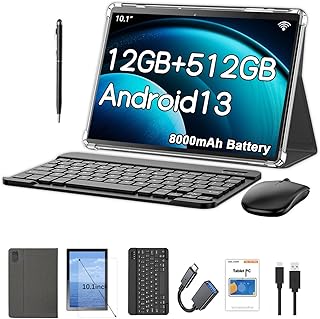


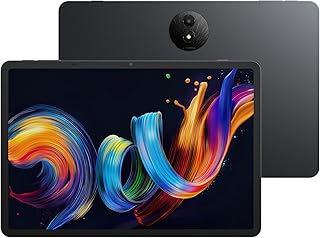


![SAMSUNG [Import Version] Galaxy Tab S10 Lite with S-Pen | 128GB, 6GB RAM, Wi-Fi Only | 10.9” 90Hz LCD, Android 15 WiFi 6 Tablet, All Day Battery | International Model X400 | 256GB SD Card Bundle, Gray](https://m.media-amazon.com/images/I/51UFm7dGUuL._AC_UL320_.jpg)
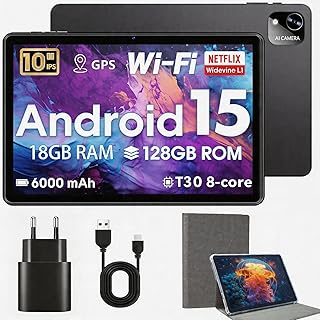

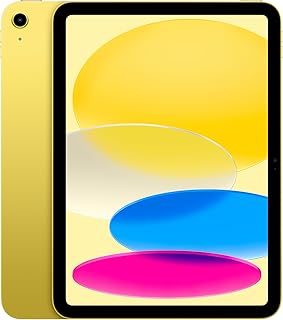

![Samsung Galaxy Tab S10 FE+ [AU Version] Wi-Fi, Android Tablet, 12GB Memory, 256GB Storage, 13.1" 90Hz Display, S Pen Included, Durability, Long Batter Life, Grey](https://m.media-amazon.com/images/I/61pbccMB+CL._AC_UL320_.jpg)




![Samsung Galaxy Tab S10 Lite [AU Version], Android Tablet, 6GB Memory, 128GB Storage, 10.9” 90Hz Display, S Pen Included, Long Battery Life, Grey](https://m.media-amazon.com/images/I/61pZ-R39EvL._AC_UL320_.jpg)




Tablets sit between smartphones and traditional laptops, giving Australian shoppers a flexible device for many everyday tasks. A tablet can make it easier to read, browse the web, watch videos, attend online classes, manage documents, play games and stay connected while travelling. Because models vary considerably in size, hardware and features, choosing the right tablet starts with understanding how you expect to use it.
For students, a tablet can provide a convenient way to access digital textbooks, take notes, research assignments and join online learning sessions. A lightweight model is particularly useful when you need to carry your device between home, school, university or other study locations. If your work involves documents, email or video meetings, look for a model with a comfortable display and enough processing capability for your regular applications.
Screen size has a direct effect on portability and viewing comfort. Compact tablets are easy to carry and can work well for reading, browsing and travel. Mid-sized models offer a useful balance between portability and workspace, making them suitable for mixed everyday use. Larger tablets provide more room for documents, creative work, split-screen applications and entertainment.
Think about where you will use your tablet most often. If it will spend much of its time in a backpack or handbag, weight and dimensions may be important. If you mainly use it at home for films, games or productivity, a larger display may provide a more comfortable experience.
Storage determines how much room you have for applications, photos, videos, documents and downloaded entertainment. If you primarily use cloud services and web applications, you may not need as much internal storage. However, users who keep large media libraries or install numerous applications should consider a higher-capacity option.
Wi-Fi tablets work well when you normally have access to a home, school, office or public wireless network. Cellular-enabled models can provide additional flexibility when you need mobile connectivity away from Wi-Fi. Consider your daily routine and whether you want to use a separate mobile hotspot or connect directly through a compatible mobile service.
Battery performance can be especially important for commuters, students, travellers and people who use their tablet throughout the day. Check the manufacturer's stated battery information and consider how your actual usage may affect runtime. Streaming, gaming, high screen brightness and demanding applications can consume more power.
The display is one of the most important parts of a tablet because you interact with it constantly. Consider screen resolution, brightness, viewing comfort and overall size. A clear, responsive display can make reading, video streaming, browsing and productivity tasks more enjoyable.
There is no single tablet configuration that suits everyone. For general browsing and entertainment, prioritise a comfortable display, dependable battery performance and sufficient storage. For study, portability, note-taking support and compatibility with required applications can be important. For professional use, consider processing performance, multitasking capability, accessories and connectivity.
Creative users may want a larger display and support for a compatible stylus or keyboard. Gamers can look for responsive hardware, a suitable display and sufficient storage for larger applications. Travellers may prefer a lighter tablet with strong battery performance and convenient connectivity.
The right accessories can extend how you use a tablet. A protective case can help reduce everyday wear, while a screen protector can provide an additional layer of protection for the display. A compatible keyboard can make longer typing sessions more practical. Depending on the model, a stylus may also be useful for handwritten notes, drawing and other creative tasks.
Start by setting a realistic budget and identifying your main activities. Next, compare screen size, storage, battery performance, connectivity and operating system compatibility. Check whether the applications and accessories you already use are supported. It is also worth considering portability if you regularly commute or travel around Australia.
Before purchasing, review the specifications carefully rather than choosing based only on appearance. Consider how long you expect to keep the device and whether its storage and performance will remain suitable as your needs change. A tablet that matches your actual usage can provide useful flexibility for work, study, entertainment and everyday digital tasks.
From portable everyday devices to larger tablets designed for productivity and entertainment, the category offers options for a wide range of Australian shoppers. Compare the features that matter to you, consider your preferred screen size and connectivity, and select a device that fits your routine. With the right combination of performance, portability and functionality, a tablet can become a practical companion at home, at work, during study or while travelling.
Find a tablet that fits the way you live, work and stay entertained. Whether you need a compact device for travel, a practical screen for study, a tablet for streaming and browsing, or a capable device for everyday productivity, the right model can offer a convenient balance of portability and performance. Explore tablets in Australia with attention to screen size, storage, connectivity, battery life and the features that matter most to you.
Consider your main uses first, then compare screen size, storage, battery performance, processing capability, connectivity and operating system compatibility. Your budget and preferred accessories can also help narrow down suitable options.
The ideal size depends on your routine. Smaller tablets prioritise portability, while larger screens can provide more comfortable viewing and workspace. A mid-sized tablet can offer a practical balance for mixed everyday activities.
Storage requirements depend on how you use the device. Web browsing and cloud-based services may require less storage, while users who download games, videos, applications and large files may benefit from greater capacity.
Cellular connectivity can be useful if you regularly use a tablet away from Wi-Fi. It allows compatible tablets to connect through a mobile service, although availability and requirements depend on the device and network provider.
Yes. Depending on the model and supported applications, tablets can handle tasks such as web research, document access, email, video meetings, note-taking and online learning. A keyboard can make longer typing sessions more convenient.
They are optional accessories, but a suitable case can help protect a tablet from everyday knocks and scratches. A screen protector can provide an additional protective layer for the display.
Tablets can be convenient travel devices because many models are lighter and more compact than traditional laptops. For travel, consider weight, battery performance, screen size, storage and connectivity based on your itinerary and usage.